Video files are huge, and one lost memory card can mean losing a wedding, an interview or a whole day of filming that can never be repeated. Offloading is the careful process of copying footage from the camera cards to safe storage, checking that every file arrived perfectly, and only then reusing the cards. This lesson explains how to handle cards on set, how to make verified copies, how to organize video folders, how much storage to plan for, and the simple rules that protect footage from loss.
What offloading means
Offloading means copying all the files from a camera's memory cards to computer drives, checking that the copies are complete and correct, and making backups before the cards are used again. On large productions this is done by a data wrangler or a DIT (digital imaging technician). On small productions, the camera operator usually does it.
The general backup principles for photos, such as keeping several copies in different places, were explained in backup, redundancy and data protection. Video uses the same ideas, with much larger files and extra care on location.
Card handling on set
- Label every card with a number and keep a simple card log of what was filmed on it.
- Use a clear signal for full cards: for example, store full cards upside down in their case, or use a colored sticker, so nobody puts a full card back in a camera.
- Record to two cards at once if your camera can, as explained in event and wedding photography.
- Never format a card until its footage is copied, verified and backed up.
- Keep cards dry, cool and in cases away from magnets and heat.
Verified copies
Dragging files in a computer window copies them, but it does not prove they copied correctly. Professional offload software copies the files and then compares them with the originals using checksums, digital fingerprints that change if even one bit is different. Checksums were introduced in archiving and long-term preservation.
- Copy the whole card, including all folders, not just the video files; many cameras keep information in other folders.
- Copy to two drives at the same time if the software allows it.
- Check the report: the software should confirm that every file matched.
- Spot-check footage by playing a few clips from each card.
A clear video folder structure
| Folder | Contents |
|---|---|
| 2026-10-12_ProjectName | The main project folder, named with date and project |
| 01_Footage / Day01 / CamA / A001 | Original camera files, one folder per camera and card |
| 02_Audio / Day01 / Recorder | Sound from separate recorders |
| 03_Project | Editing project files |
| 04_Graphics_Music | Logos, titles and licensed music |
| 05_Exports | Finished videos and versions |
Warning:Never rename or reorganize files inside the original card folders. Editing software and cameras rely on that structure. Naming systems for photos were explained in folders, naming systems and metadata.
Planning storage
Estimate storage before a shoot: bitrate × recording time × number of cameras, then double it for a backup. For example, two cameras recording 3 hours each at 150 Mbps create about 400 GB, so you need at least 800 GB of drive space for two copies. Bitrate was explained in video resolution, bitrate and codecs.
- Fast SSD drives make offloading and editing quicker.
- Larger hard drives are cheaper for backups and archives.
- A RAID system is not a backup by itself, as explained in backup, redundancy and data protection.
A safe offload routine
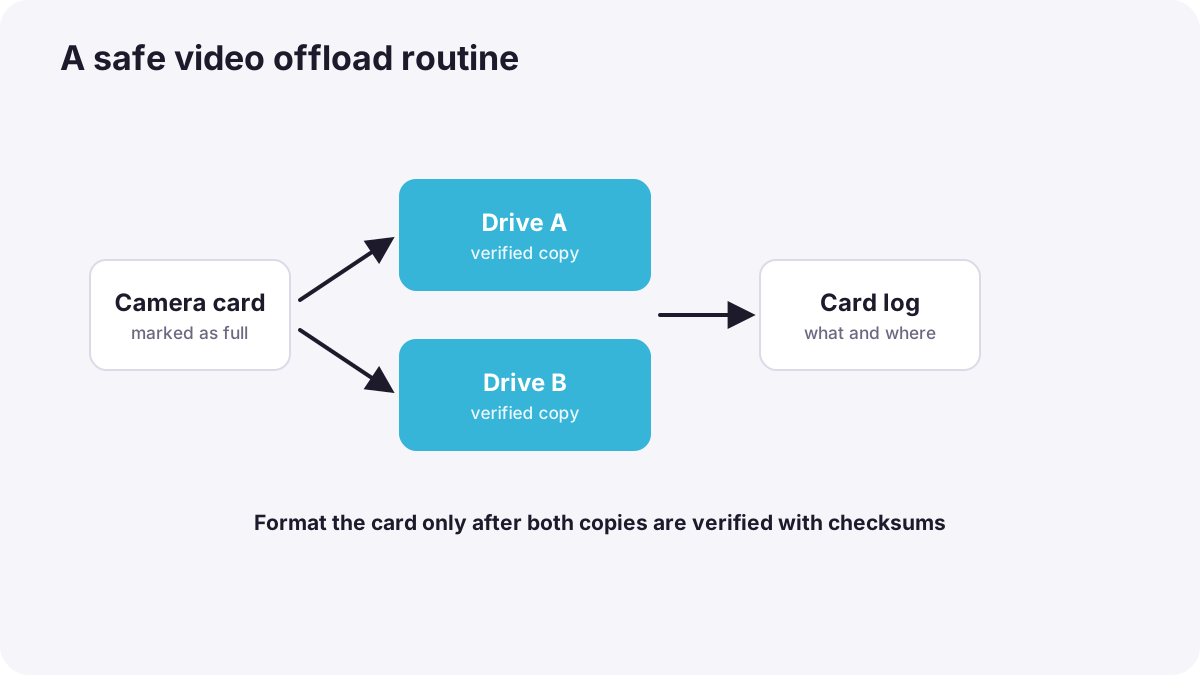
- Take the full card out and mark it as full.
- Copy the whole card to two separate drives with verification.
- Check the report and play a few clips.
- Write it in the card log with date, card number and drives.
- Keep one copy away from the other after the shoot, for example one at home and one in the office or in the cloud.
- Format the card in the camera only when you are sure the copies are safe, ideally after the client has received the project.
Common mistakes
- Formatting cards before checking copies: footage is lost forever.
- Only one copy: a single drive failure loses everything.
- Both copies in the same bag: theft or a spill destroys both.
- Copying only the video files: some clips will not open properly later.
- No storage plan: you run out of drive space in the middle of a shoot.
How professionals protect footage
On professional sets, data wranglers offload every card with checksum verification to at least two drives, keep detailed logs, and report problems immediately so they can be re-filmed. Many productions keep a third copy in a separate place or in the cloud. Cards are only formatted after the team confirms the footage is safe.
Practical examples
A wedding day
- Situation
- You fill four cards during a wedding.
- What to do
- Each evening you offload every card to two drives with verification, log them, and keep one drive at home and one in your office.
- Why it works
- Verified double copies in two places protect against drive failure, theft and accidents.
- Result
- The irreplaceable footage is safe before any card is reused.
A clip that will not open
- Situation
- A clip copied by dragging only the video files will not open with its sound.
- What to do
- You copy the whole card structure again with offload software.
- Why it works
- Cameras store related information in other folders that editing software needs.
- Result
- The clip opens correctly with all its data.
Key points
- Offloading means copying cards to storage, verifying the copies and backing up before reusing cards.
- Label cards, keep a card log and mark full cards clearly.
- Use offload software with checksum verification and copy the whole card to two drives.
- Keep original card folders unchanged inside a clear project folder structure.
- Plan storage from bitrate and recording time, keep copies in two places, and format cards last.
Frequently asked questions
How do I back up video footage safely?
What is a checksum?
Can I just drag files from the card?
When should I format my memory cards?
Conclusion
Safe offloading protects footage that can never be filmed again: label cards, copy whole cards with verification to two drives, keep a log, store copies in separate places, and format cards last. Next, you will learn how proxies make editing easier and which formats to deliver.
Finished reading? Track your progress through Workflow and delivery.