A finished video only matters if people can find it, click it, understand it and watch it. Publishing is the last creative step: choosing the right file for each platform, designing a thumbnail, writing a clear title and description, adding captions, and making the video easy for search engines to understand. This lesson explains how to prepare and publish videos online, how thumbnails and captions work, the basics of video search optimization, and how to share videos on your own website.
What video publishing includes
Publishing a video means preparing the final file and everything around it: the thumbnail, title, description, captions, chapters and settings on the platform. Many principles are the same as publishing photos online, as in sharing and publishing images online, but video adds sound, length and captions.
Export settings and delivery files were explained in proxies and video delivery formats; precise export settings are explained in exporting and delivery settings.
Thumbnails
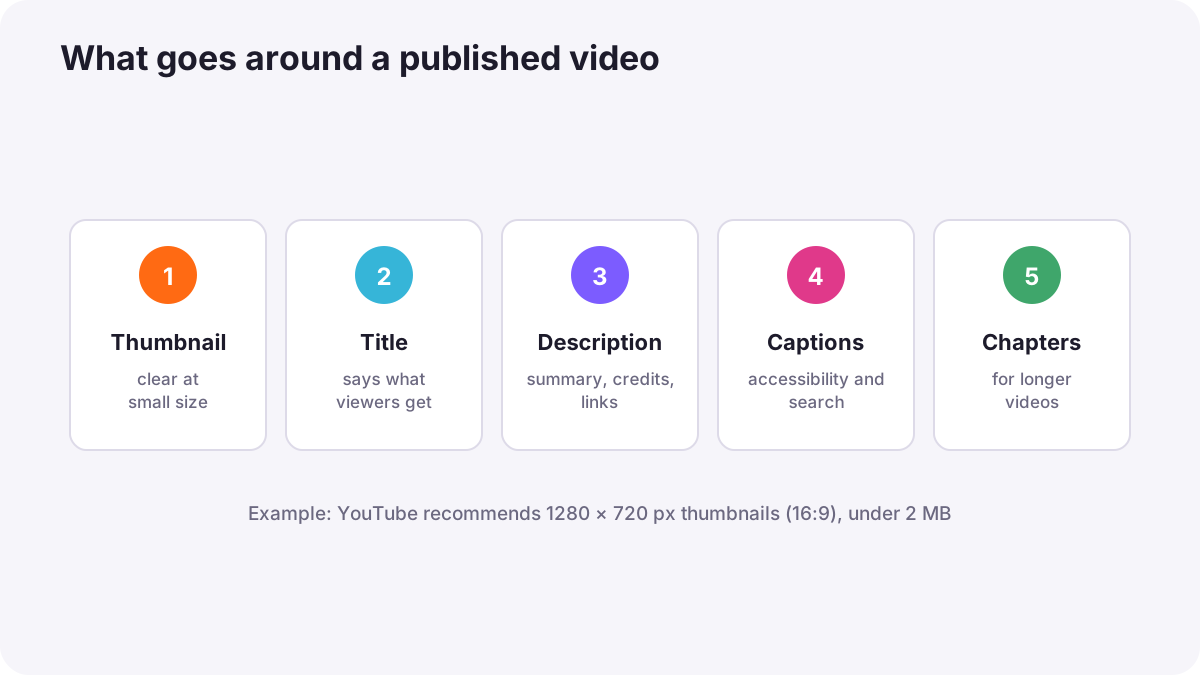
A thumbnail is the still image people see before they press play. On many platforms it is the single biggest reason someone chooses to watch.
- Size: YouTube, for example, recommends 1280 × 720 pixels (16:9), at least 640 pixels wide and under 2 MB; other platforms publish their own sizes.
- Clarity: one clear subject, often a face with a strong expression, and simple contrast.
- Text: a few large words at most, readable on a small phone screen.
- Honesty: the thumbnail must show what the video really contains; misleading thumbnails disappoint viewers.
- Avoid the corners: platforms often place the video length and other labels in the bottom-right corner.
Tip:Design the thumbnail at full size, then look at it very small. If it is still clear on a phone, it works.
Titles, descriptions and chapters
- Title: say clearly what the video gives the viewer, using words people would search for.
- Description: summarize the video in the first lines, then add details, links and credits, including music credits where required.
- Chapters: timestamps that divide long videos into sections, such as 0:00 Introduction, 1:30 Settings; they help viewers and search engines.
- Tags and categories: where platforms use them, choose relevant ones.
Captions and subtitles
| Type | What it is | Advantage |
|---|---|---|
| Closed captions | Text the viewer can turn on or off, stored as a separate file such as SRT or VTT | Flexible, searchable, can be translated |
| Open (burned-in) captions | Text permanently added into the picture | Always visible, useful on platforms where many watch without sound |
| Subtitles | Usually a translation of the spoken words into another language | Reach viewers in other languages |
Warning:Captions make videos accessible to people who are deaf or hard of hearing, help people watching without sound, and give search engines text to understand. Automatic captions save time, but always check them, because names and technical words are often wrong.
Video search optimization
- Clear titles and descriptions that match what people search for.
- Captions and transcripts so search engines can read the content.
- A good thumbnail so people choose your result.
- On your own website: a page about the video with text, and structured data such as VideoObject, help search engines show the video in results.
- Watch time: videos that keep viewers interested are recommended more often.
Search optimization for photographers was introduced in photography SEO.
Video on your own website
- Embed from a video platform: upload to a platform and place its player on your page; the platform handles streaming.
- Self-host: upload the file to your own server; you control everything, but large files can slow your site, as in image compression and web performance.
- Use a poster image and avoid autoplaying with sound.
Rights and settings
Before publishing, check that you have the rights to all music, footage and recognizable people in the video, as in music licensing for video and filming people and places: releases and permissions for video. Choose public, unlisted or private settings carefully, and check each platform's terms about how it may use your content.
Common mistakes
- Using a random frame as the thumbnail: few people click.
- Misleading thumbnails or titles: viewers leave and trust drops.
- Unchecked automatic captions: embarrassing mistakes in names and terms.
- Empty descriptions: search engines and viewers learn nothing about the video.
- Publishing without music rights: the video may be muted or removed.
How professionals publish video
Professional creators plan the title and thumbnail while planning the video, design thumbnails that work at small sizes, add accurate captions and chapters, write descriptions with credits and links, and check rights before publishing. They review viewer statistics afterward to learn what makes people click and keep watching.
Practical examples
A tutorial with no views
- Situation
- Your camera-settings tutorial has a blurry automatic thumbnail and the title 'Video 12'.
- What to do
- You design a clear thumbnail with your face and two large words, retitle it to describe the benefit, and add chapters and captions.
- Why it works
- Clear thumbnails and titles help people find and choose the video.
- Result
- More people find, click and finish the tutorial.
A company video on a website
- Situation
- A client's self-hosted video makes the homepage slow.
- What to do
- You upload it to a video platform and embed the player with a poster image.
- Why it works
- The platform streams the video efficiently and keeps the page fast.
- Result
- A fast homepage with a smooth-playing video.
Key points
- Publishing includes the file, thumbnail, title, description, captions, chapters and settings.
- Thumbnails must be clear at small sizes and honest; YouTube recommends 1280 × 720 pixels.
- Closed captions can be turned on or off; open captions are burned into the picture.
- Captions improve accessibility and search; always check automatic captions.
- Embed videos from a platform for fast websites, and check all rights before publishing.
Frequently asked questions
What size should a video thumbnail be?
What is the difference between captions and subtitles?
What is an SRT file?
Should I host video on my own website?
Conclusion
Publishing video well means a clear, honest thumbnail, a helpful title and description, accurate captions and chapters, and the right file and settings for each platform. You have now completed the printing and publishing course for both photography and video.
Finished reading? Track your progress through Printing and publishing.