Night streets, candlelit dinners, concerts and city lights can look beautiful on video, but low light is one of the hardest situations for any camera. In photography you can simply use a longer shutter speed on a tripod. In video, the shutter speed is tied to the frame rate, so that trick is limited. This lesson explains how to get clean, bright video in low light by combining fast lenses, sensible ISO, added and existing light, careful focus and noise reduction, while keeping the mood of the night.
Why low light is harder in video
Low-light photography can use long exposures, as explained in low-light exposure strategy. In video, a shutter speed of about double the frame rate is normally used for natural motion, as in exposure for video. At 25 fps that means about 1/50 s, which collects far less light than a long photo exposure. The camera therefore needs a wide aperture, higher ISO or more light.
Remember:You can slow the shutter to 1/25 s at 25 fps for some extra light, but movement becomes smeared and shakier, so use it only for slow scenes.
Fast lenses
Lenses with wide maximum apertures, such as f/1.4 to f/2, let in two to four times more light than an f/2.8 or f/4 zoom. They are one of the best tools for night video. The depth of field becomes very shallow, so focus must be accurate, as in focus for video.
ISO and noise
- Raise ISO rather than underexposing: a brighter image at higher ISO is usually cleaner than a dark image brightened later, as in high-ISO performance and digital noise.
- Learn your camera's clean ISO range: test where noise becomes unacceptable.
- Use a second base ISO if your camera has one: some cameras switch to a cleaner high-sensitivity mode at a certain ISO, as explained in dynamic range and highlight/shadow information.
- Larger sensors help: full-frame cameras usually show less noise than small sensors at the same ISO.
Using and adding light
| Source | How to use it |
|---|---|
| Street lights, shop windows, signs | Place people where existing light falls on their faces |
| Practical lamps | Turn on lamps in the scene and keep them in the frame, as in creative lighting techniques |
| Small LED panels | Add soft key or fill light close to faces, as in continuous lighting for video |
| Phone screens, candles, fire | Motivated light that matches the scene |
Tip:Night should still look like night. Keep some darkness, add light only where it matters, and let bright sources such as lamps and signs create contrast and atmosphere.
Focus and stability at night
- Autofocus can hunt in the dark; give it a lit edge or switch to manual focus with magnification.
- Focus peaking helps when the screen image is dim, as in manual focus and focus assistance.
- Stabilize the camera: slower shutter speeds and long lenses show shake easily, as in stabilizing video.
Color and noise reduction
- Set white balance manually: street lights and mixed sources confuse automatic white balance, as in mixed lighting and difficult color.
- Avoid strong in-camera noise reduction: it can smear detail; light noise reduction in editing often looks better.
- Use 10-bit recording if you will brighten or grade dark footage, as in bit depth, chroma subsampling and RAW video.
- Protect bright lights: signs and lamps clip easily; small clipped points are acceptable, faces are not.
A night video routine
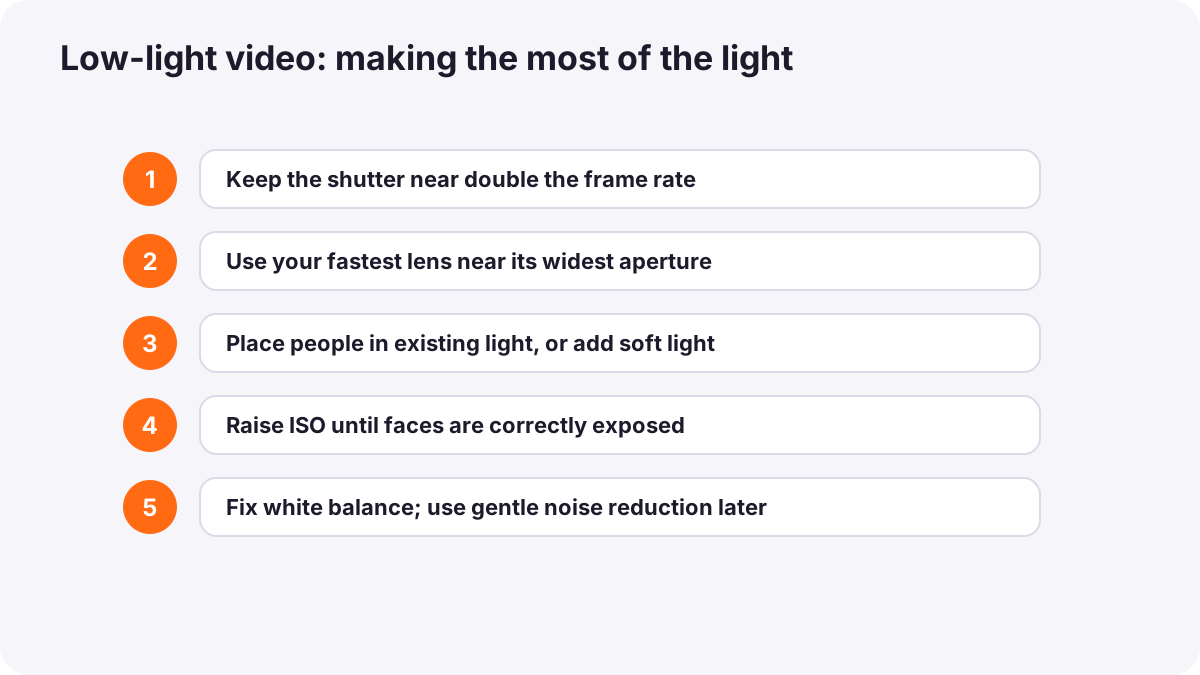
- Choose a frame rate and keep the shutter near double it.
- Use your fastest lens near its widest aperture.
- Place people in existing light or add a soft LED.
- Raise ISO until faces are correctly exposed.
- Fix white balance for the main light.
- Focus carefully with peaking and magnification.
- Record a short test and check noise and exposure on a large screen.
Common mistakes
- Underexposing to keep ISO low: dark footage becomes noisy when brightened.
- Lighting everything: the scene no longer looks like night.
- Automatic white balance under street lights: colors shift and look unnatural.
- Wide apertures with careless focus: faces are soft.
- Heavy noise reduction: skin looks plastic and detail disappears.
How cinematographers film at night
Cinematographers plan night scenes around motivated light, such as street lamps, windows and signs, and add soft, carefully hidden lights to faces. They use fast lenses and cameras with strong high-ISO performance, keep true darkness in parts of the frame, record in log or 10-bit for grading, and clean noise carefully in post-production.
Practical examples
A street interview at night
- Situation
- A person's face is too dark under a weak street lamp.
- What to do
- You move them under a brighter shop window and add a small soft LED at low power.
- Why it works
- Existing light plus gentle fill brightens the face while keeping the night mood.
- Result
- A clear face with glowing city lights behind.
Noisy concert footage
- Situation
- Your concert clips were dark and noisy after brightening.
- What to do
- Next time you use an f/1.8 lens and raise ISO to expose faces correctly while filming.
- Why it works
- Correct exposure at capture gives cleaner results than brightening later.
- Result
- Cleaner, brighter footage of the performers.
Key points
- Video shutter speeds are tied to frame rate, so low light needs wide apertures, higher ISO or added light.
- Fast lenses (f/1.4 to f/2) are among the best tools for night video.
- Expose correctly with higher ISO rather than underexposing; know your camera's clean ISO range.
- Use existing and practical light, add soft LEDs where needed, and keep night looking like night.
- Focus carefully, fix white balance, record 10-bit if grading, and use gentle noise reduction.
Frequently asked questions
What settings are best for night video?
How do I reduce noise in low-light video?
Can I use a slow shutter speed for night video?
Should I add lights at night?
Conclusion
Night video is about collecting enough light without losing the mood: fast lenses, sensible ISO, motivated and added light, careful focus and gentle noise reduction. You have now completed the advanced exposure and night course for both photography and video.
Finished reading? Track your progress through Long exposure and night.