The fastest way to improve at video is to practise with a purpose. Instead of recording whatever happens, short exercises train your hands, your eye and your ears one skill at a time: holding the camera steady, moving it smoothly, following action, recording clear sound and filming several shots that can be joined into a story. This lesson gives you six simple exercises you can do at home or outside with any camera or phone, and shows you how to review your clips so each practice session makes you better.
Why practise with exercises?
A practice exercise is a small, focused task that trains one skill. Doing the same task several times, and checking the result each time, builds habits much faster than recording random clips. It is the same idea as the photography practice in first photographs.
Before you start, set up your camera as explained in video mode and basic video settings: a fixed frame rate, a shutter speed near double the frame rate, fixed white balance and a fast memory card.
Exercise 1: the 10-second steady shot
Choose a simple subject, such as a plant, a cup of tea or a street. Hold the camera with both hands, elbows against your body, and record for 10 seconds without moving. Count slowly in your head. Then repeat with a different subject.
Tip:Editors need clips that are long enough to use. Holding each shot for at least 10 seconds gives them the start, the middle and the end of a moment. Steady handling is explained in handling the camera.
Exercise 2: the smooth pan
- Stand with your feet apart and point your body toward where the movement will END.
- Twist your upper body back to the starting point, without moving your feet.
- Hold the start for 2 to 3 seconds, then turn slowly and evenly toward the end point.
- Hold the end for 2 to 3 seconds before you stop recording.
Starting and ending with a still moment gives the editor clean places to cut. Camera movement is explained fully in camera movement.
Exercise 3: following a subject
Ask a friend to walk past you, or film a cyclist or a pet. Keep them in the same part of the frame as they move, and leave a little space in front of them in the direction they are moving. Try it twice: once standing still and turning, once walking alongside them slowly with bent knees to soften your steps.
Exercise 4: the sound check
Record a friend saying the same sentence in three places: a quiet room, a kitchen with an echo, and outside near traffic. Stand at the same distance each time. Play the clips back with headphones and listen. You will quickly hear how much the room and background noise change the sound. Recording better sound is explained in recording clean dialogue on location.
Exercise 5: the five-shot sequence
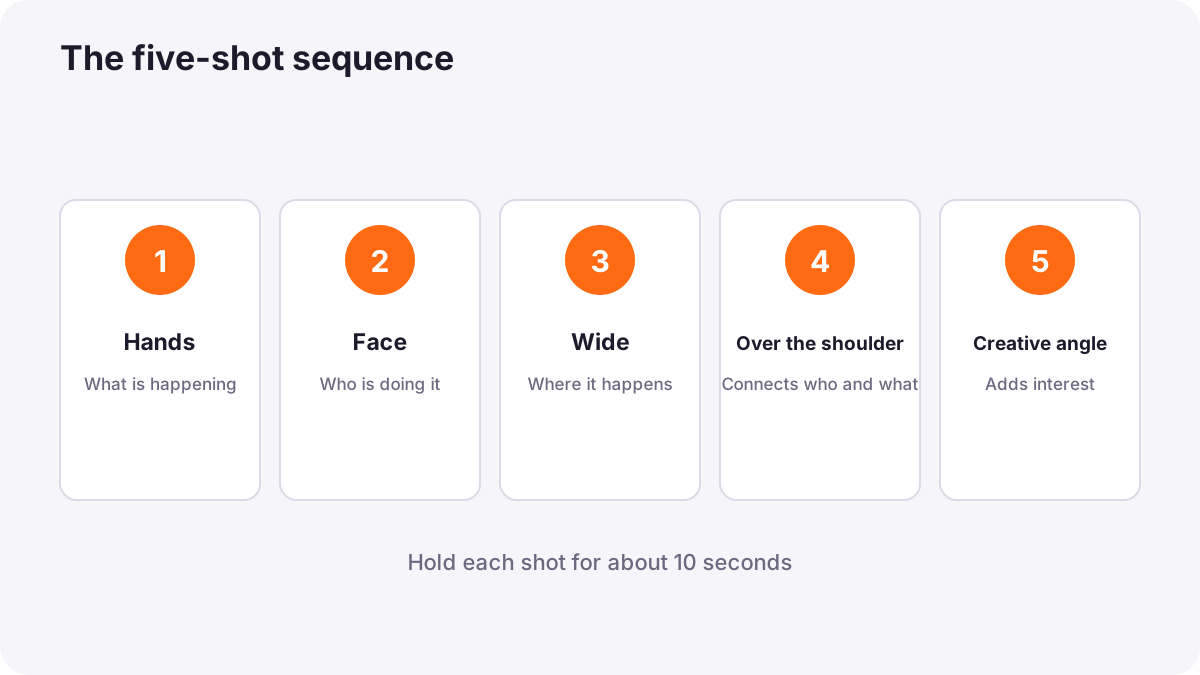
The five-shot sequence is a well-known method made popular by the video journalist Michael Rosenblum. It teaches you to film a simple activity, such as someone cooking, drawing or fixing a bike, with five shots that an editor can join into a clear mini-story:
| Shot | What to film | What it tells the viewer |
|---|---|---|
| 1. Hands | A close-up of the hands doing the activity | What is happening |
| 2. Face | A close-up of the person's face | Who is doing it |
| 3. Wide | A wide shot showing the person and the place | Where it is happening |
| 4. Over the shoulder | A shot from behind the person, looking at what they are doing | Connects who and what |
| 5. Creative | An unusual angle, such as very low, very high or through an object | Adds interest and a sense of style |
Hold each shot for about 10 seconds. If you can, film the same action several times so the editor has choices. Shot sizes and angles are explained in shot sizes and camera angles for video.
Exercise 6: edit a 30-second mini story
Put your five-shot sequence into any simple editing app on your phone or computer. Trim each clip to its best 3 to 6 seconds, place them in an order that makes sense, and add a little background music at a low level. You have just made your first edited video. Editing is explained in what video editing is.
Reviewing your clips
- Steadiness: is the picture calm, or does it wobble?
- Exposure: are faces bright enough, and are skies not pure white?
- Focus: is the important subject sharp throughout?
- Movement: do pans start and end with still moments, and is the speed even?
- Sound: is the voice clear and not too loud?
- Length: is each shot long enough to use?
Tip:Choose one thing to improve in your next session. Practising one skill at a time is faster than trying to fix everything at once.
Common mistakes
- Stopping too soon: clips shorter than a few seconds are hard to edit.
- Moving the camera all the time: viewers feel tired; most good videos use many still shots.
- Zooming during shots: beginner zooms look shaky; move closer or change shot instead.
- Only wide shots: close-ups of hands and faces make a video feel personal.
- Never listening back: sound problems are only discovered when it is too late.
How professionals practise
Professional camera operators keep practising basic skills: steady handheld shots, smooth pans and clean sequences. Video journalists train with the five-shot method until they film sequences without thinking. Many creators make short practice videos every week, review them honestly and improve one skill at a time.
Practical examples
Filming a friend making tea
- Situation
- You want to practise the five-shot sequence at home.
- What to do
- You film hands pouring water, your friend's face, a wide shot of the kitchen, an over-the-shoulder shot of the cup, and a low shot from the table.
- Why it works
- Five different shots give the editor everything needed for a short, clear story.
- Result
- A smooth 30-second video that shows what, who and where.
A shaky walk
- Situation
- Your walking shots wobble with every step.
- What to do
- You bend your knees, walk heel to toe slowly and turn on stabilization.
- Why it works
- Softer steps and stabilization reduce up-and-down movement.
- Result
- Noticeably calmer walking shots.
Key points
- Short, focused exercises build video skills faster than random recording.
- Hold steady shots for about 10 seconds so editors have usable clips.
- Start and end pans with 2 to 3 seconds of stillness, and move evenly.
- Use the five-shot sequence: hands, face, wide, over the shoulder, creative.
- Review steadiness, exposure, focus, movement, sound and length; improve one skill at a time.
Frequently asked questions
What should I film first as a beginner?
What is the five-shot sequence?
How long should each video shot be?
Should I zoom while recording?
Conclusion
Practice exercises build the core video skills: steady shots, smooth movement, following action, clear sound and planned shot sequences. Review every session and improve one skill at a time. You have now completed the foundations course, ready to understand exposure in more depth.
Finished reading? Track your progress through Photography foundations.