Product videos help people understand and want a product: how it looks from every side, how big it is, how it works and how it fits into real life. Commercial videos do the same for brands and services. Online shops, advertisements and social media all depend on them. This lesson explains how to plan a product or commercial video from a brief, light products for video, use slow controlled camera movement, film details and products in use, and deliver the versions a client needs.
Types of product and commercial video
| Type | What it shows | Typical use |
|---|---|---|
| Product showcase | The product from all sides and in detail | Online shop pages |
| Demonstration | How the product works, step by step | Product pages, tutorials |
| Lifestyle | Real people using the product in daily life | Advertising, social media |
| Brand film | The story and values of a company | Websites, campaigns |
| Short social ad | One key idea in seconds | Social platforms, as in short-form vertical video |
The photography side of this work, including materials and e-commerce standards, was explained in product, commercial and e-commerce photography.
Start with the brief
- Goal: what should viewers think, feel or do after watching?
- Audience: who will watch, and where?
- Key message: the one main benefit to show.
- Deliverables: lengths, aspect ratios and versions needed.
- Brand rules: colors, logos, fonts and style.
Write a short shot list from the brief, as in photography scheduling, and a simple storyboard for important shots, as in storyboards and shot planning.
Lighting products for video
Product lighting follows the rules in lighting products and still life: soft light for most products, long soft highlights on shiny surfaces, backlight for glass and liquids, and careful control of reflections. In video, these lights must also stay correct while the product or the camera moves.
- Use large soft sources so highlights stay smooth as angles change.
- Rehearse the move and watch for reflections that appear part way through.
- Use flags and black cards to shape reflections on glossy products.
- Use high color-quality LEDs so the product's colors are accurate, as in continuous lighting for video.
Movement and detail
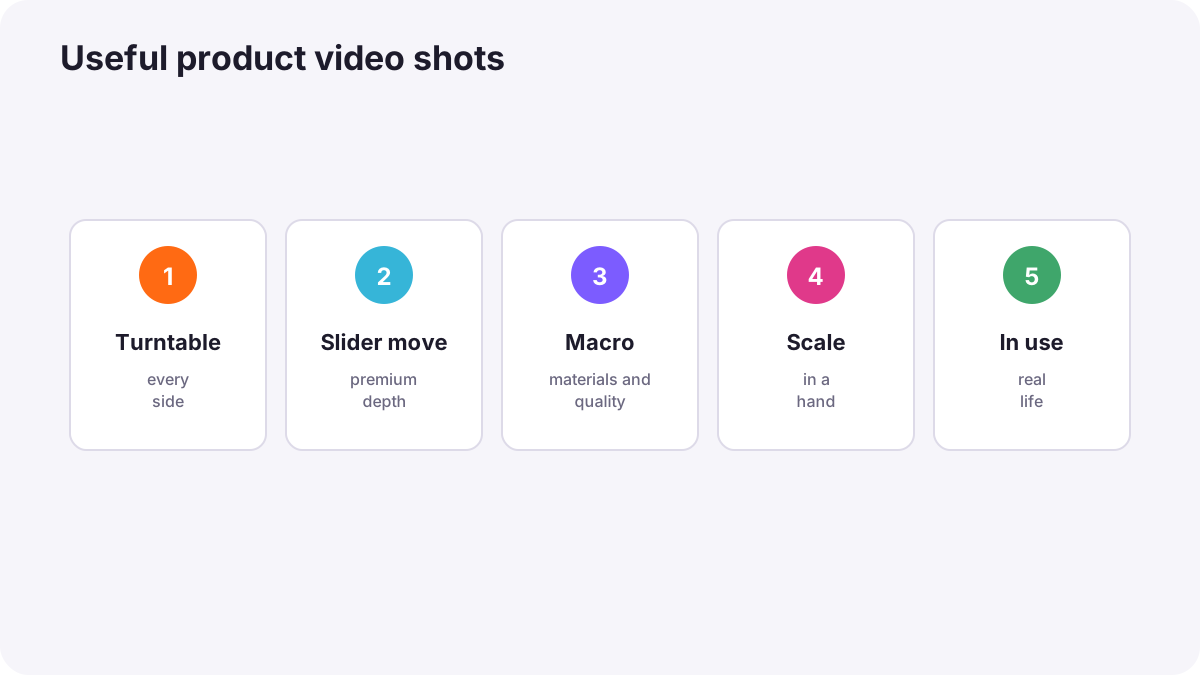
| Shot | How to film it | What it shows |
|---|---|---|
| Turntable spin | The product on a slowly turning platform, camera still | Every side of the product |
| Slider move | A slow sideways or forward glide | Depth and a premium feeling |
| Macro detail | Very close shots of textures, buttons and materials | Quality and craftsmanship |
| Reveal | The product appears from shadow, behind an object or out of focus | Excitement and anticipation |
| Scale shot | The product in a hand or beside a familiar object | Real size |
| In-use shot | A person using the product | How it works and feels |
Tip:Slow, smooth, controlled movement feels premium; fast handheld movement feels casual. Choose movement that matches the brand. Camera movement was explained in camera movement.
Honesty and accuracy
Product videos must show the product truthfully: correct colors, real size and genuine features. Exaggerating or hiding problems can mislead buyers and break advertising rules, which differ between countries. Image integrity was explained in image integrity and manipulation.
Versions and delivery
- Several lengths: for example 60, 30, 15 and 6 seconds.
- Several aspect ratios: 16:9 for websites, 9:16 for vertical platforms, 1:1 or 4:5 for some feeds.
- Versions without text or music so the client can adapt them later.
- Clear naming as in proxies and video delivery formats.
Remember:Plan framing so the product stays inside every crop you will need. Film a little wider than usual if you must deliver both horizontal and vertical versions.
Common mistakes
- Starting without a clear brief: the video looks good but does not sell the main benefit.
- Reflections that move across shiny products: distracting flashes and glare.
- Wrong product colors: customers receive something different from what they saw.
- Only beauty shots: viewers never see how the product is used or how big it is.
- Forgetting versions: re-editing is needed for every platform.
How commercial crews work
Commercial productions begin with a detailed brief, storyboards and a shot list approved by the client. They use clean, controlled lighting, motion-control or sliders for repeatable moves, macro lenses for details, and stylists to prepare products. They deliver many lengths and aspect ratios from one shoot, with accurate colors checked against the real product.
Practical examples
A watch for an online shop
- Situation
- A brand needs a 20-second video of a new watch.
- What to do
- You film a turntable spin under soft light, macro details of the face and strap, and a short shot on a wrist for scale.
- Why it works
- Customers need to see every side, the quality and the real size.
- Result
- A clear video that answers customers' questions.
Moving reflections
- Situation
- A white glare slides across a phone screen during a slider move.
- What to do
- You add a large black card on that side and soften the key light.
- Why it works
- Controlling what the surface reflects removes the glare.
- Result
- A clean, premium-looking move.
Key points
- Product and commercial videos show how a product looks, works and fits into real life.
- Start with a brief: goal, audience, key message, deliverables and brand rules.
- Use large soft light and control reflections throughout the movement.
- Combine turntable spins, slider moves, macro details, scale shots and in-use shots.
- Show products honestly and deliver several lengths and aspect ratios.
Frequently asked questions
How do I film a product video at home?
What makes a product video look premium?
How long should a product video be?
Which aspect ratios should I deliver?
Conclusion
Product and commercial videos succeed when they follow a clear brief, light the product beautifully and honestly, use controlled movement and details, and deliver every version the client needs. You have now completed the photography and videography genres course.
Finished reading? Track your progress through Types of photography.