The camera most people carry every day is a phone. Modern phones take sharp photos, record 4K video, shoot RAW and even log footage, and feature films have been made with them. But a phone is not magic: it has a small sensor, small lenses and software that makes many decisions for you. This lesson explains what phones do brilliantly, where they still struggle, and the mindset that turns a phone into a serious creative tool. The rest of the course then teaches you to control every part of it.
What makes a phone camera different
A phone camera works like any camera: a lens focuses light on a sensor, as explained in how a digital camera creates a photograph. The differences are size and software. Phone sensors are much smaller than those in most dedicated cameras, as you saw in sensor formats, so each photo collects less light. To make up for it, phones take several frames for every press and combine them with powerful processing, called computational photography.
Most phones also carry several fixed cameras, such as ultrawide, main and telephoto, instead of one zoom lens. How these modules work is explained in smartphone multi-camera systems.
Where phones are excellent
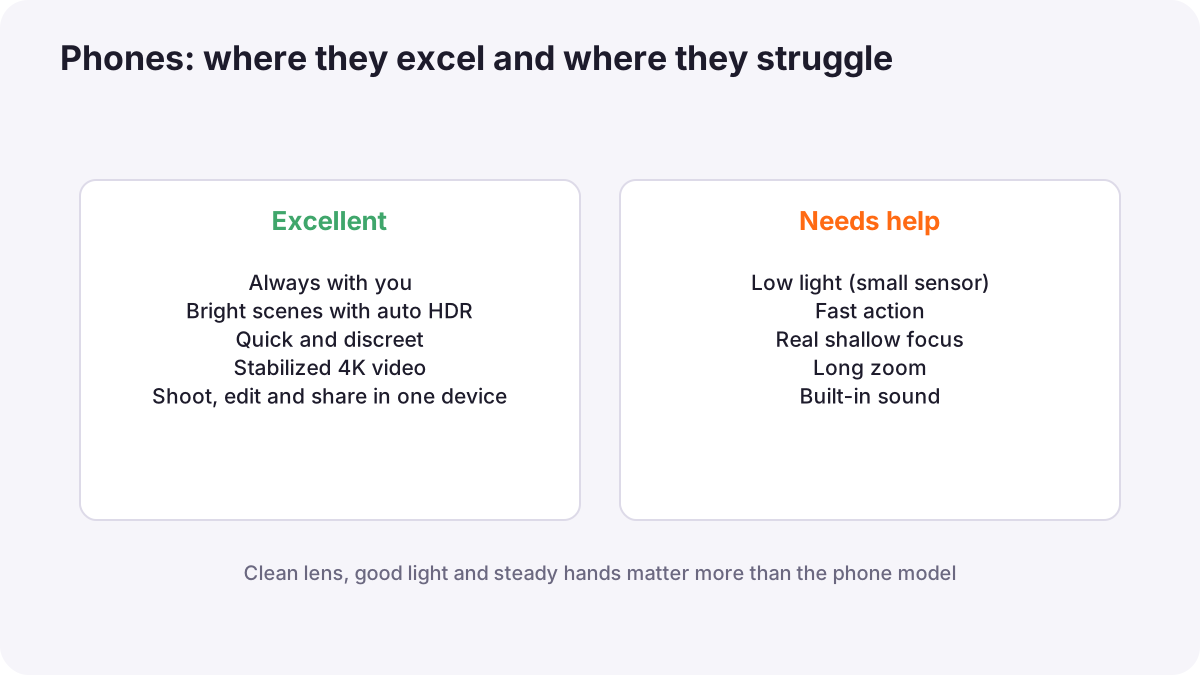
- Always with you: the best moment is often the one you can catch immediately.
- Bright, contrasty scenes: automatic HDR keeps detail in skies and shadows.
- Discreet and quick: people relax in front of a phone, which suits street, travel and family work.
- Video quality: stabilized 4K, slow motion and HDR video are standard on many phones.
- Sharing and editing: you can shoot, edit and publish from one device.
Where phones still struggle
| Limit | Why it happens | Workaround |
|---|---|---|
| Low light | Small sensor collects little light | Night mode, support, add light |
| Fast action | Slower autofocus and shutter lag on many phones | Burst mode, anticipate, good light |
| Real shallow focus | Small sensor gives deep depth of field | Portrait mode, longer lens, get close |
| Long zoom | Fixed lenses; digital zoom loses detail | Use the telephoto module, move closer |
| Heavy processing | Software sharpens and smooths | RAW or lower processing settings |
| Sound | Built-in microphones hear everything | External microphone |
Phones in professional work
Phones are now used on real productions. Sean Baker's Tangerine (2015) and Steven Soderbergh's Unsane (2018) were shot on iPhones, and Danny Boyle's 28 Years Later (2025) used adapted iPhone 15 Pro Max phones as a main camera, fitted in rigs with cinema lenses alongside other cameras. Journalists film news on phones, brands shoot social content on them, and many freelancers deliver real paid work with them.
Remember:The lesson from these productions is not that the phone alone made the film. The filmmakers added control: stable support, good lenses, sound, lighting and careful editing. That is exactly what this course teaches.
The serious phone-user mindset
- Clean the lens before every shoot; a fingerprint is the most common cause of soft, hazy phone photos.
- Choose the light and the moment, not just the subject.
- Take control: set focus and exposure yourself instead of accepting the first result.
- Use the right module: switch lenses instead of pinching to zoom.
- Stabilize and record good sound for video.
- Edit with care and back up your files.
Tip:A clean lens, good light and a steady hand improve phone photos more than any new phone model.
Common mistakes
- Shooting with a dirty lens: soft, glowing, low-contrast images.
- Pinching to zoom: blurry, smeared detail.
- Accepting automatic results without checking: wrong focus or exposure.
- Thinking only a new phone will help: technique matters more than model.
- Forgetting storage and battery: missed shots at the important moment.
How professionals use phones
Professionals treat a phone as one camera in their kit. They choose it when its size, speed or discretion helps the story, add support and sound when quality matters, and switch to a larger camera when the limits in this lesson would hurt the result.
Practical examples
A street festival
- Situation
- You want natural photos of people dancing at a busy festival.
- What to do
- You use your phone, clean the lens and shoot from a low position with the main camera.
- Why it works
- A phone is discreet, so people stay natural, and the main camera gives the best quality.
- Result
- Relaxed, sharp, lively photos.
A dim restaurant
- Situation
- Your phone photos of dinner look noisy and soft.
- What to do
- You rest the phone on the table, move the plate near a window light and use night mode.
- Why it works
- More light and stability help a small sensor most.
- Result
- Cleaner, sharper food photos.
Key points
- Phones use small sensors and fixed lenses, combined with powerful multi-frame processing.
- They excel in good light, for quick and discreet shooting and for stabilized video.
- They struggle in low light, fast action, long zoom and with built-in sound.
- Professional phone productions add support, lenses, sound, light and careful editing.
- Clean the lens, choose the light and take control of focus and exposure.
Frequently asked questions
Can a phone replace a professional camera?
Why are my phone photos blurry?
Have real films been shot on phones?
Do I need the newest phone?
Conclusion
Your phone is a capable camera with clear strengths and limits. Work with its strengths, respect its limits and add control where it matters. Next, you will learn the settings that give you that control, from pro mode to RAW.
Finished reading? Track your progress through Smartphone photo and film.