Photos are still one of the most powerful ways to share work, especially for photographers. Single images show your best work, and carousels, swipeable sets of several images or slides, can teach, tell stories and get saved for later. This lesson explains how to plan carousels that people swipe through and save, how to design a strong cover slide, and how to keep a consistent style across your profile.
Types of photo posts
| Format | Best for |
|---|---|
| Single hero image | Showing your best work |
| Story carousel | A shoot, trip or event in order |
| Teaching carousel | Tips, settings and steps on slides |
| Before and after | Editing or lighting changes |
| Photo dump | Casual, behind-the-scenes sets |
A carousel structure that works
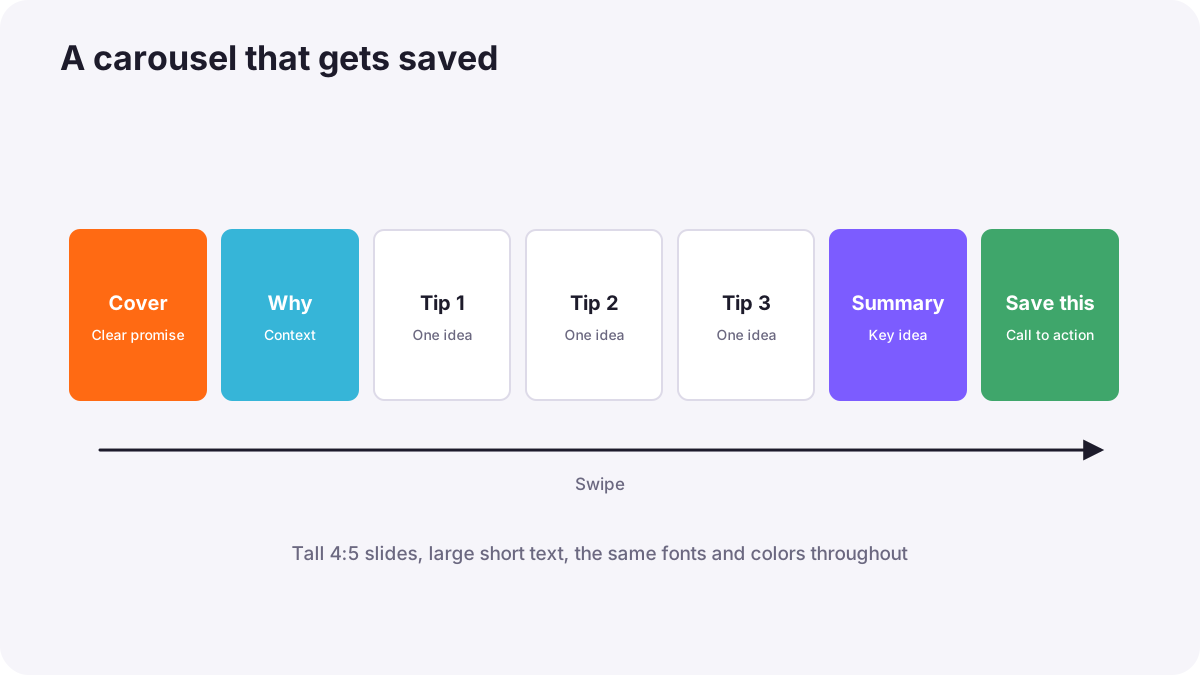
- Cover slide: a striking photo or a clear promise, such as "5 window light setups".
- Context slide: why this matters.
- Value slides: one tip, step or image per slide.
- Summary slide: the key idea in one sentence.
- Final slide: a simple call to action, such as save this for your next shoot.
Tip:Carousels with useful, step-by-step information are often saved, which tells platforms the post is valuable.
Design for small screens
- Use the platform's tallest feed shape, such as 4:5, so posts fill more of the screen, as in social media image preparation.
- Large, short text: a few words per slide, readable without zooming.
- Keep the same fonts and colors on every slide.
- Number slides for teaching carousels.
A consistent profile
People decide whether to follow you by looking at your profile as a whole. A consistent editing style and a mix of your content pillars make your grid look intentional, as in developing a recognizable visual style. Write alt text for images so people using screen readers can understand them, as in preparing photographs for websites.
Common mistakes
- A weak first slide: nobody swipes.
- Too much text per slide: people skip.
- Random mixed styles: an unprofessional profile.
- Posting other people's photos without permission or credit: copyright problems, as in understanding copyright in photography.
How photographers use photo posts
Professional photographers mix hero images of their best work with teaching and behind-the-scenes carousels, keep a consistent look, write helpful captions and use carousels to show complete stories from real shoots.
Practical examples
A teaching carousel
- Situation
- Your single tip posts get few saves.
- What to do
- You make a five-slide carousel with one lighting setup per slide and a diagram.
- Why it works
- Step-by-step value is worth saving.
- Result
- Many more saves and shares.
A wedding story
- Situation
- You want to show your full wedding coverage.
- What to do
- You post a ten-image carousel from preparation to the last dance.
- Why it works
- A story carousel shows the complete experience.
- Result
- Couples understand your style and service.
Key points
- Use single hero images, story carousels, teaching carousels, before-and-afters and photo dumps.
- Build carousels with a strong cover, value slides, a summary and a call to action.
- Design for small screens with tall formats, large short text and consistent style.
- Keep a consistent profile and add alt text.
Frequently asked questions
What is a carousel post?
How many slides should a carousel have?
Why do saves matter?
What size should photo posts be?
Conclusion
Carousels and strong photo posts turn your photography into content people keep. Next, you will write captions and use keywords so people can find your work.
Finished reading? Track your progress through Content creation.