Sharing your work online can be exciting and rewarding, but it also brings real risks: revealing too much personal information, harassment, scams, account theft and burnout. Young creators need extra protection. This lesson gives practical rules for staying safe, protecting your accounts and privacy, handling negativity and keeping a healthy balance, so creating stays enjoyable for years.
Protect your privacy
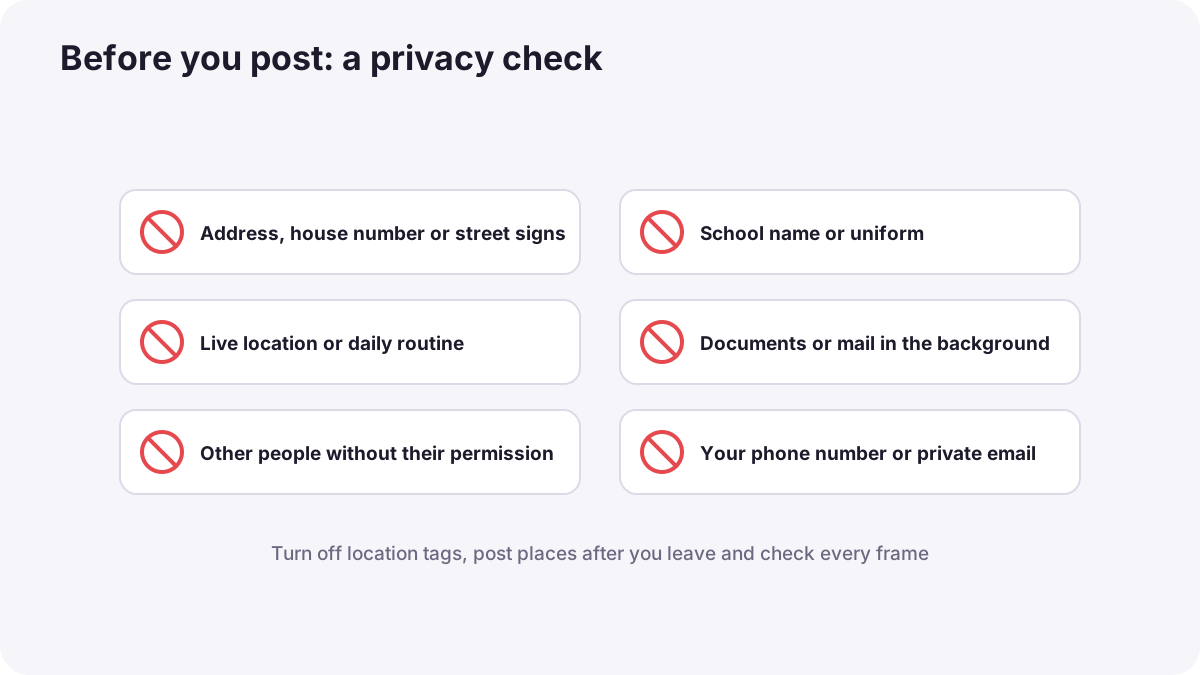
- Do not show your home address, school or daily routine, including street signs, house numbers and uniforms.
- Turn off location tags and post places after you have left.
- Check backgrounds for documents, screens and windows that reveal details.
- Use a separate creator email and do not share your phone number publicly.
- Ask permission before showing other people, as in privacy and consent.
Young creators
Most major platforms require users to be at least 13, and some features have higher age limits. Young creators should create with a parent or guardian who helps manage accounts, messages, brand offers and payments. Never meet someone from the internet alone, never send private photos, and tell a trusted adult immediately if anyone makes you uncomfortable.
Remember:Parents who show their children online should think carefully about privacy, consent and how the content may affect the child later.
Secure your accounts
- Use strong, unique passwords and a password manager.
- Turn on two-step verification on every account.
- Be careful with messages offering deals: fake brands and copyright warnings are common scams.
- Never share login codes with anyone, even someone claiming to be the platform.
Handling harassment
| Situation | Action |
|---|---|
| Rude comments | Ignore, filter keywords, or delete |
| Repeated harassment | Block, restrict and report |
| Threats or personal information shared | Keep screenshots, report, tell a trusted adult or the police if needed |
| Feeling overwhelmed | Take a break and talk to someone you trust |
Avoiding burnout
- Choose a schedule you can keep, as in planning content: pillars, calendars and batching.
- Batch content so you can take real days off.
- Limit time checking numbers and comments.
- Keep friends, hobbies, sleep and school or work outside the channel.
- Plan breaks: audiences understand when you return with good content.
Common mistakes
- Showing your school or house: strangers can find you.
- Live streaming your location: a serious safety risk.
- Clicking links in brand-deal messages without checking: stolen accounts.
- Reading every negative comment: stress and lost motivation.
- Never resting: burnout and quitting.
How professional creators stay safe
Experienced creators separate public and private life, secure every account, filter and moderate comments, report abuse, verify brand offers, and protect their health with planned schedules and breaks. Safety is part of being a professional.
Practical examples
A hidden detail
- Situation
- Your bedroom video shows a parcel with your address.
- What to do
- You delete it, re-film with a clear background and check every frame before posting.
- Why it works
- Small details can reveal where you live.
- Result
- Safer content and a new habit.
A fake brand email
- Situation
- A message offers a large sponsorship and asks you to log in through a link.
- What to do
- You check the sender's real website and contact the brand directly.
- Why it works
- Fake deals are a common way to steal accounts.
- Result
- Your account stays safe.
Key points
- Protect your privacy: no address, school or routine, location tags off, backgrounds checked.
- Young creators should work with a parent or guardian and never meet internet strangers alone.
- Use strong passwords, two-step verification and caution with deal offers.
- Ignore, filter, block and report harassment, and tell a trusted adult.
- Prevent burnout with realistic schedules, batching, limits and breaks.
Frequently asked questions
How old do you have to be to post on social media?
How can I keep my location private?
What should I do if someone harasses me online?
How do I avoid creator burnout?
Conclusion
Safety, security and wellbeing let you enjoy creating for years. You have completed the content creation and social media growth course: plan with purpose, create with skill, grow with honesty and protect yourself along the way.
Finished reading? Track your progress through Content creation.