Primary correction is the first and most important step of color work. It adjusts the whole image: setting the black and white points, shaping contrast, correcting white balance and choosing a natural level of saturation. A good primary correction makes footage look clean and believable before any creative look is added, and makes shots far easier to match. This lesson explains lift, gamma and gain, color wheels, contrast and pivot, white balance and tint, saturation, and a step-by-step method using the scopes.
What primary correction is
Primary correction means adjustments that affect the whole image at once, as opposed to secondary corrections that affect only selected colors or areas, explained in secondary grading. It is the video equivalent of the basic tone and color controls for photos in cropping, straightening and basic corrections. Correction and grading were explained in color correction and color grading in video.
Lift, gamma and gain
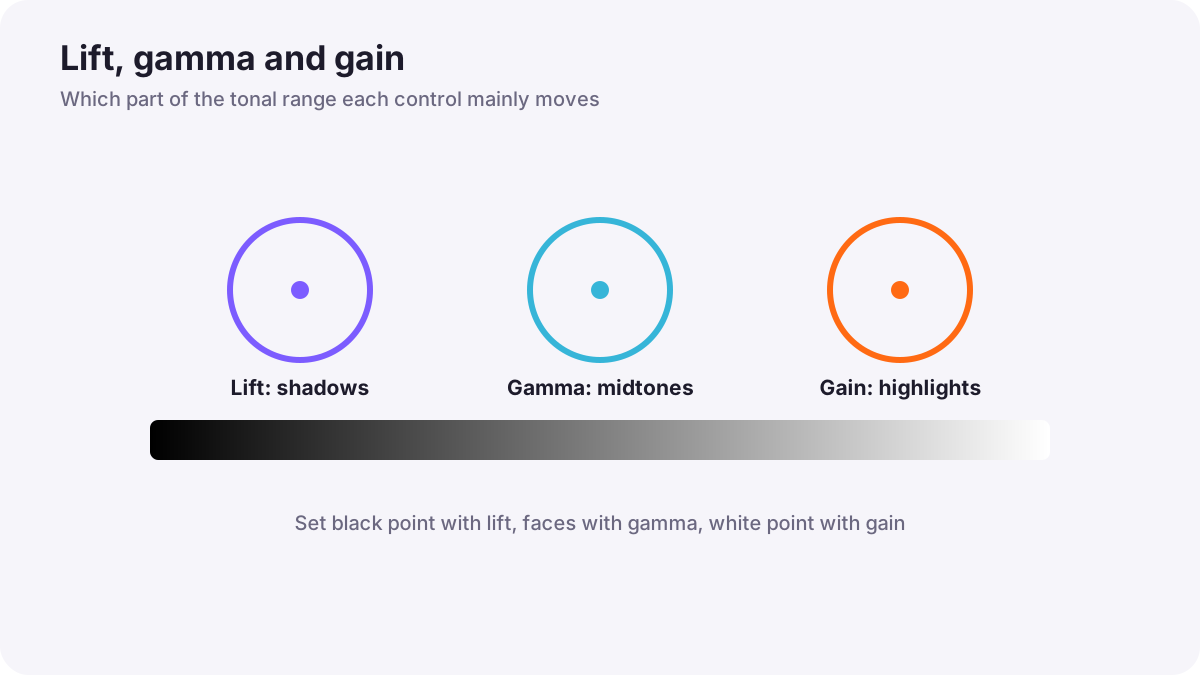
| Control | Mainly affects | Use |
|---|---|---|
| Lift | Shadows and black level | Set how dark the blacks are; tint shadows |
| Gamma | Midtones | Overall brightness of faces and most of the image |
| Gain | Highlights and white level | Set how bright the brightest parts are; tint highlights |
Remember:Many programs show these as three color wheels with brightness controls beneath. Moving a wheel toward a color tints that tonal range; the brightness control makes it darker or lighter. Some software also offers an Offset wheel that moves the whole image together.
Contrast and pivot
Contrast makes shadows darker and highlights brighter at the same time. The pivot sets the brightness point around which contrast changes. Lowering the pivot keeps darker areas steadier while brightening the rest; raising it does the opposite. Curves give even finer control, as in curves and tonal control.
White balance and tint
- Temperature: moves the image between blue (cooler) and yellow-orange (warmer), as in color temperature and the appearance of light.
- Tint: moves the image between green and magenta.
- Neutral reference: pick something that should be neutral, such as a white wall, gray card or white shirt, and balance it with the RGB parade, as in video scopes.
- Mood still matters: a sunset should stay warm and a night street may stay cool.
Saturation
Saturation controls how strong colors are. After balancing, adjust saturation so colors look natural rather than dull or exaggerated. Watch the vectorscope and the skin, which looks unhealthy when oversaturated. Vibrance or similar controls can raise weaker colors more than strong ones.
A primary correction method
- Convert log footage first, if needed, as in working with log footage and color-space transforms.
- Set the black point with lift, using the waveform.
- Set the white point with gain, without clipping important highlights.
- Adjust gamma so faces and midtones sit at a pleasing brightness.
- Balance white using a neutral area and the RGB parade.
- Shape contrast with contrast, pivot or curves.
- Set saturation and check skin on the vectorscope.
- Compare with the next shot in the scene.
Tip:Make big corrections in small steps and toggle the correction on and off to compare. It is easy to drift too far without noticing.
Common mistakes
- Crushing blacks or clipping highlights: detail is lost.
- Using gain to brighten faces: highlights clip; use gamma for midtones.
- Removing all warmth from warm scenes: the atmosphere disappears.
- Too much saturation: skin and colors look unnatural.
- Correcting each shot in isolation: shots do not match each other.
How colorists do primaries
Colorists begin every shot with a clean primary correction: setting black and white points, balancing neutrals, shaping contrast and saturation, all checked on scopes. They work quickly on the scene's key shot, copy the correction to similar shots, and then fine-tune each one so the whole scene matches before adding the look.
Practical examples
A flat, gray interview
- Situation
- An interview looks washed out with no real blacks.
- What to do
- You lower lift until the darkest areas approach black, raise gamma slightly for the face, and add gentle contrast.
- Why it works
- Setting black point and contrast gives depth.
- Result
- A clean, rich image.
A green office
- Situation
- Office lights give the whole image a green tint.
- What to do
- You balance a white wall in the RGB parade by adding magenta tint.
- Why it works
- Neutral areas should have equal red, green and blue.
- Result
- Natural colors and healthy skin.
Key points
- Primary correction adjusts the whole image: black and white points, contrast, white balance and saturation.
- Lift controls shadows, gamma midtones and gain highlights.
- Contrast with a pivot, or curves, shapes the tonal range.
- Balance a neutral reference with the RGB parade, while keeping intended mood.
- Work in small steps, check scopes and compare with neighboring shots.
Frequently asked questions
What are lift, gamma and gain?
What is primary color correction?
How do I fix white balance in video?
What does contrast pivot do?
Conclusion
Primary correction builds a clean foundation: set black and white points, shape contrast, balance white, choose natural saturation and compare with nearby shots. Next, you will learn how to work with log footage and color-space transforms.
Finished reading? Track your progress through Color grading.