Viewers notice immediately when one shot in a scene is warmer, darker or more saturated than the next. Even when every shot is well corrected on its own, a scene can still feel broken if shots do not match. Matching is the work of making all shots in a scene, and often a whole film, look as though they belong together, even when they were filmed at different times, under changing light or with different cameras. This lesson explains how to choose a reference shot, match using scopes and side-by-side comparisons, use color charts, and match different cameras.
What matching is
Shot matching means adjusting shots so brightness, contrast, color balance and saturation are consistent within a scene and across a film. It comes after primary correction, as in primary correction, and before the creative look. Consistency across a photo series was introduced in color in composition and storytelling.
Choose a hero shot
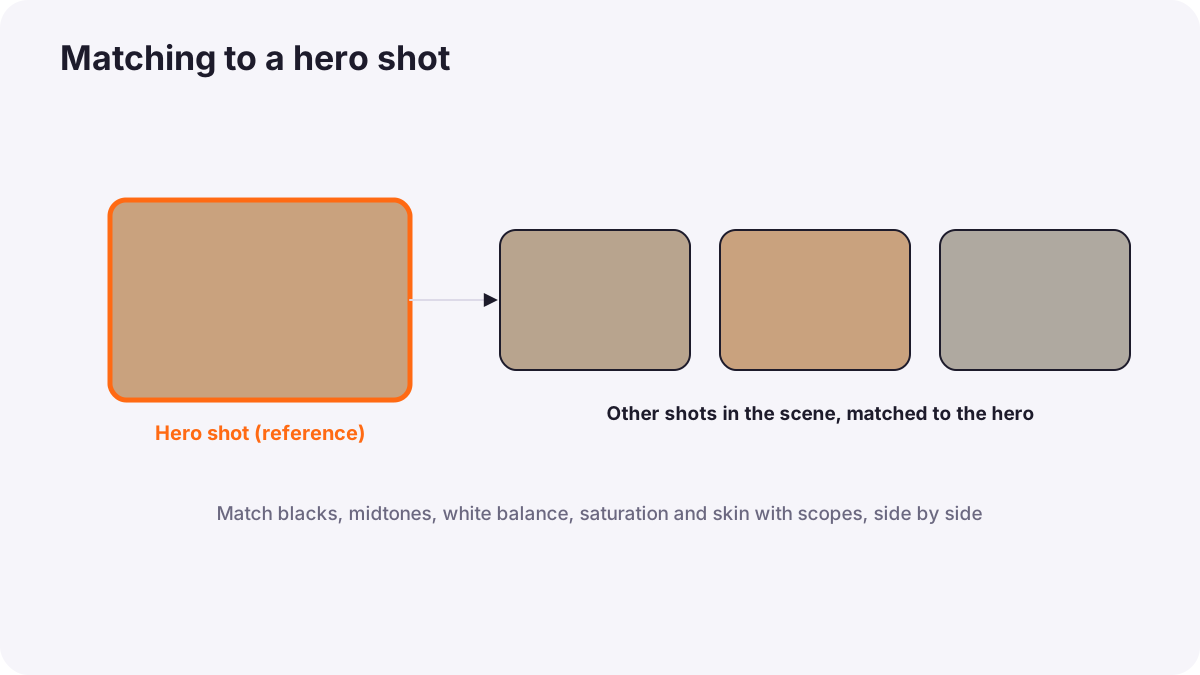
Start each scene by choosing a hero shot, also called a reference shot: usually the most important or most typical shot, such as the main wide shot or a key close-up. Correct it carefully, then match every other shot in the scene to it.
Matching method
- Compare side by side: most grading software can show the hero shot and the current shot together, as a split screen or reference still.
- Match brightness and contrast on the waveform: blacks, midtones and highlights at similar levels, as in video scopes.
- Match color balance using the RGB parade on neutral areas.
- Match saturation using the vectorscope.
- Match skin most carefully, because viewers notice faces first, as in skin tones in video.
- Watch the scene in sequence and adjust any shot that jumps.
Tip:Match the important things, not every pixel. A wide shot and a close-up naturally look a little different; what matters is that they feel like the same moment.
Color charts
A color chart has patches of known colors and grays. Filming a chart at the start of each scene, and with each camera, gives the colorist an objective reference. Many grading programs can read the chart automatically and correct the shot. Charts are most useful when lighting changes or several cameras are used, as in color for video.
Matching different cameras
- Start on set: same white balance in Kelvin, similar profiles and exposure levels, as in color for video.
- Convert each camera correctly with its own input settings, as in working with log footage and color-space transforms.
- Use the main camera as the reference and match the others to it.
- Expect differences in color science: skin and greens often render differently between brands; match these areas specifically.
- Accept small differences: some cameras cannot match perfectly; focus on faces and key colors.
Changing light
Outdoor scenes filmed over several hours may change from warm morning light to cooler midday light, or clouds may move across the sun. Match these shots so the scene feels like one moment, unless the story needs time to pass. Light changes were explained in time of day and natural light.
Common mistakes
- Grading each shot alone: scenes jump in color and brightness.
- No reference shot: matching drifts across the scene.
- Matching by memory: eyes adapt; always compare side by side.
- Forcing perfect technical matches: shots look flat or unnatural.
- Ignoring skin: faces change color between angles.
How colorists match
Colorists balance a hero shot for each scene, match every shot to it with split screens and scopes, prioritize faces and key colors, use color charts and correct camera inputs for multi-camera shoots, and review scenes in sequence. They then apply the creative look across already matched shots, so the look stays consistent.
Practical examples
An interview with two cameras
- Situation
- The close-up camera shows warmer skin than the wide camera.
- What to do
- You use the wide shot as reference and match the close-up's skin on the vectorscope and parade.
- Why it works
- Faces must match between angles.
- Result
- The cuts between cameras become invisible.
A changing afternoon
- Situation
- A picnic scene filmed over two hours shifts from golden to bluish light.
- What to do
- You choose the golden wide shot as hero and warm the later shots to match.
- Why it works
- The scene should feel like one moment.
- Result
- A consistent, warm picnic scene.
Key points
- Shot matching makes brightness, contrast, color and saturation consistent within scenes.
- Choose and correct a hero shot, then match other shots to it.
- Compare side by side, using waveform, parade and vectorscope, and prioritize skin.
- Color charts and correct camera inputs make matching different cameras easier.
- Match what matters, not every pixel, and review scenes in sequence.
Frequently asked questions
How do I match two cameras in color grading?
What is a hero shot in color grading?
Why use a color chart?
Do shots need to match perfectly?
Conclusion
Matching turns well-corrected shots into consistent scenes: choose a hero shot, compare side by side with scopes, prioritize skin, and use charts and correct inputs for multiple cameras. Next, you will learn secondary grading to adjust specific colors and areas.
Finished reading? Track your progress through Color grading.