Primary correction adjusts the whole image. But sometimes only one part needs to change: a sky that is too pale, a face that is too dark, a distracting bright sign, or a red dress that should glow. Secondary grading adjusts selected colors or areas without affecting the rest. It is how colorists guide the viewer's eye, fix problems and add polish. This lesson explains the three main tools, qualifiers, shape masks and tracking, plus hue curves and vignettes, and how to make selections that look natural.
What secondary grading is
Secondary grading means adjustments limited to a selected color range or area of the frame, made after primary correction, as in primary correction. It is similar to local adjustments and masks for photos, as in selections and masks, but in video the selection must work on every frame as people and the camera move.
Qualifiers: selecting by color
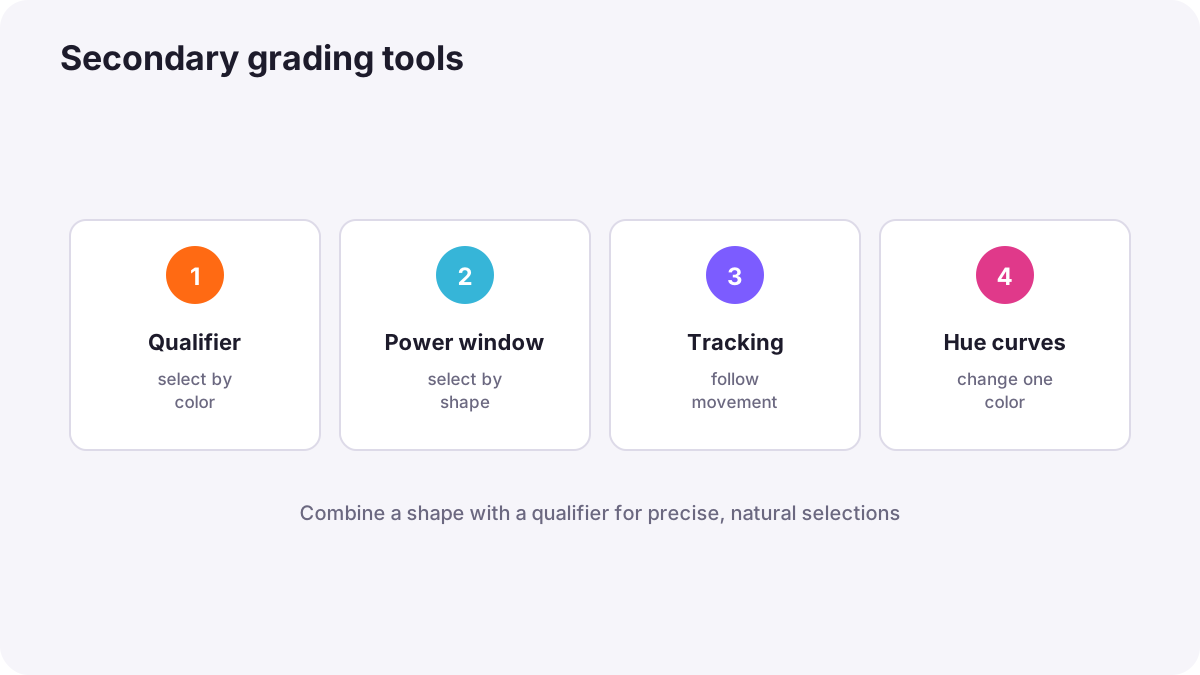
A qualifier, also called an HSL key, selects pixels by hue, saturation and brightness. You pick a color, such as a blue sky or a face, and the software creates a matte of only those pixels. HSL adjustments for photos were introduced in color correction versus creative color grading.
- Refine the selection: widen or narrow the hue, saturation and brightness ranges.
- Clean the matte: use blur and noise-cleaning controls so edges are soft and stable.
- View the matte in black and white to check what is selected.
Shape masks (windows)
A shape mask, often called a window or power window, selects an area using a circle, rectangle or custom drawn shape. Feather the edges heavily so the change blends in. Shape masks are used to brighten a face, darken a corner, or limit a qualifier to one part of the frame.
Tip:Combining a shape mask with a qualifier is powerful: the shape limits the area, and the qualifier selects only the right colors inside it, such as skin inside a circle around the face.
Tracking
When a subject or the camera moves, a mask must follow. Tracking analyzes the movement of the area inside the mask and moves the mask automatically on every frame. Check the track by playing the shot and correct any frames where the mask slips.
Hue curves
| Curve | What it does | Example |
|---|---|---|
| Hue versus hue | Shifts one hue to another | Make green grass slightly more yellow |
| Hue versus saturation | Changes saturation of one hue | Reduce a loud orange sign |
| Hue versus luminance | Changes brightness of one hue | Darken a bright blue sky |
| Luminance versus saturation | Changes saturation by brightness | Reduce saturation in deep shadows |
Curves were introduced in curves and tonal control.
Guiding the eye
- Vignettes: slightly darken the edges with a large soft shape to focus attention on the center.
- Relighting: brighten faces slightly with a soft shape to make them stand out, as lighting would on set.
- Reduce distractions: lower saturation or brightness of distracting objects.
- Subtlety: viewers should feel the result without noticing the technique.
Common mistakes
- Hard mask edges: visible halos or outlines.
- Noisy qualifier mattes: buzzing, flickering edges in motion.
- Not checking the track: masks slide off moving faces.
- Over-brightened faces: people look pasted into the scene.
- Obvious vignettes: the image looks old-fashioned or fake.
How colorists use secondaries
Colorists use secondary tools to fix problems, separate subjects and guide the viewer's eye, always with soft, clean, tracked selections. They combine shapes with qualifiers, check mattes and tracks frame by frame, and keep changes subtle so they feel like part of the original light.
Practical examples
A pale sky
- Situation
- A landscape shot has a washed-out sky.
- What to do
- You select the sky with a qualifier, limit it with a soft gradient mask, and add a little saturation and density.
- Why it works
- Secondary tools change only the sky.
- Result
- A richer sky without affecting the landscape.
A dark face in a walking shot
- Situation
- A presenter's face is slightly dark while walking.
- What to do
- You add a soft oval mask on the face, track it, and raise midtones gently.
- Why it works
- A tracked mask follows the face through the shot.
- Result
- A naturally brighter face throughout.
Key points
- Secondary grading adjusts selected colors or areas after primary correction.
- Qualifiers select by hue, saturation and brightness; refine and soften the matte.
- Shape masks select areas; combine them with qualifiers for precise selections.
- Tracking keeps masks on moving subjects; check every track.
- Use hue curves, vignettes and subtle relighting to guide the eye naturally.
Frequently asked questions
What is secondary color grading?
What is a qualifier in color grading?
What is a power window?
How do I make a mask follow a moving subject?
Conclusion
Secondary grading lets you change only what matters: select by color with qualifiers, by area with shapes, follow movement with tracking, and keep everything soft and subtle. Next, you will learn how to grade skin tones naturally.
Finished reading? Track your progress through Color grading.