Even a silent room has a sound: the soft hum of the building, distant traffic, the air itself. When editors cut dialogue together, small gaps appear between lines, and if those gaps are truly silent, the scene suddenly sounds dead and broken. That is why sound recordists record room tone, the natural silence of each location, along with ambience and wild sounds such as doors, footsteps and birds. This lesson explains what each one is, why it matters, how to record it, and how editors use it.
Three kinds of location sound
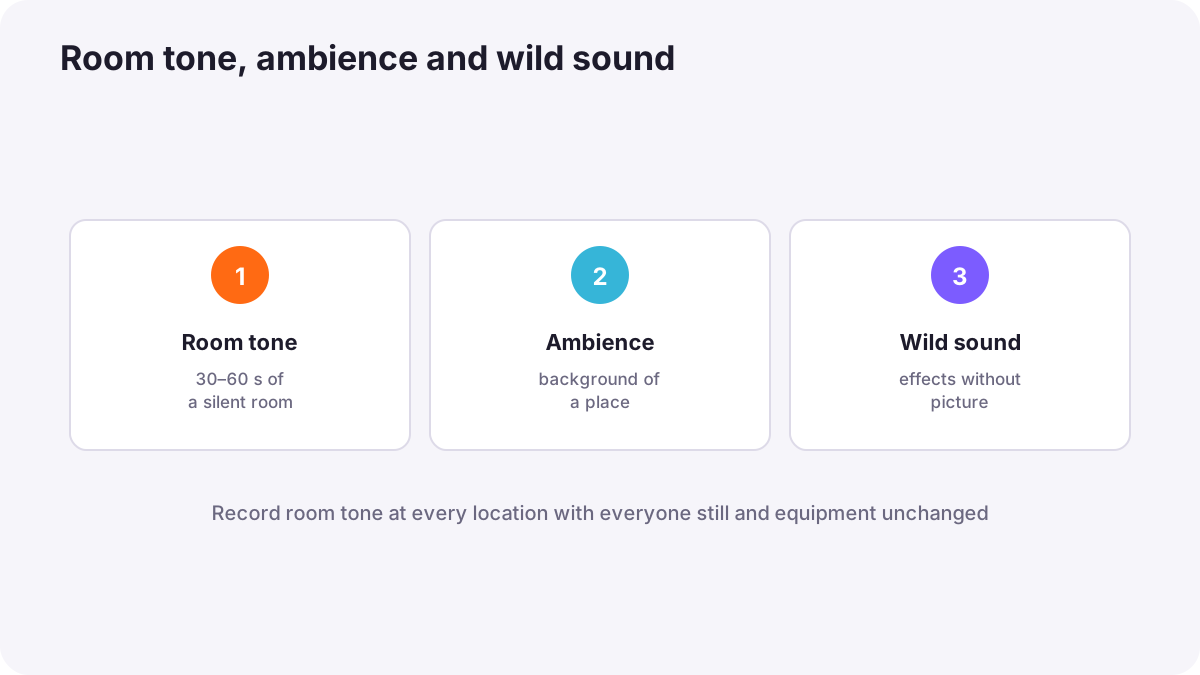
| Type | What it is | Example |
|---|---|---|
| Room tone | The quiet background sound of a location with no one speaking or moving | An office's soft air hum |
| Ambience (atmos) | The general background sound of a place | A busy market, a forest, a café |
| Wild sound (wild track) | Specific sounds recorded without picture | A door closing, keys, a car passing, a particular bird |
Ambience is one of the four parts of a soundtrack introduced in why sound matters in video.
Why editors need room tone
- Filling gaps: when dialogue is cut, editors fill the spaces with room tone so the background stays continuous.
- Hiding cuts: a steady background makes edits between takes invisible.
- Noise reduction: many cleaning tools use a sample of room tone to learn what noise to remove, as in common audio problems and fixes.
- Matching ADR and wild lines: re-recorded lines sound natural when the location's room tone is placed under them.
How to record room tone
- Record at every location, ideally right after filming, with the same microphones in the same positions.
- Ask everyone to stay completely still and silent, including the crew and performers.
- Keep lights and equipment as they were during filming, so the background matches.
- Record for 30 to 60 seconds, or longer if the space has changing sounds.
- Announce it clearly so the editor can find it, for example by saying 'room tone, kitchen' at the start.
Tip:Asking a whole crew for a minute of silence can feel strange, but professionals expect it. Simply say: 'Room tone, everyone hold still for one minute, please.'
Recording ambience
- Record a few minutes of each place: a street, a beach, a workshop.
- Use a stereo or wide microphone if you have one, for a more spacious sound.
- Record at the time and conditions that match the scene, such as rain, evening or a crowd.
- Avoid recognizable speech in ambience, which can distract or raise privacy issues.
Recording wild sound
Wild sounds are specific sound effects recorded without the camera, such as the sound of a particular door, keys in a lock, a coffee machine, footsteps on gravel or a car starting. They add detail and realism, especially when the sound recorded during filming was hidden under dialogue or noise. Wild lines, a form of wild sound for dialogue, were explained in recording clean dialogue on location.
- Record close and clean, several times.
- Label each recording by saying what it is at the start.
- Collect a personal sound library of useful sounds for future projects.
Using these sounds in the edit
- Room tone goes under the dialogue track to fill gaps.
- Ambience runs under whole scenes to create a sense of place, often slightly lower than dialogue.
- Wild sounds are placed on their own tracks at the right moments.
- Ambience can bridge cuts: starting the next scene's ambience slightly before the picture cut leads viewers smoothly into it.
Building the full soundtrack is explained in music, sound effects and the soundtrack and basic audio editing and mixing.
Common mistakes
- Forgetting room tone: edited dialogue has dead silent gaps.
- Recording room tone with a different setup: it does not match.
- Recording only a few seconds: too short to fill longer gaps or train noise tools.
- Unlabeled recordings: editors cannot find them.
- Never recording ambience: scenes sound thin and unreal.
How sound teams handle location sound
Professional sound recordists record room tone at every setup, collect ambience and wild sounds whenever there is a spare moment, label everything clearly, and pass detailed notes to the editors. Sound designers build large libraries of recordings, and dialogue editors rely on clean room tone to make edited scenes sound seamless.
Practical examples
Gaps in an interview
- Situation
- Your edited interview has moments of total silence between answers.
- What to do
- You fill the gaps with the 60 seconds of room tone recorded after the interview.
- Why it works
- Continuous background sound makes cuts invisible.
- Result
- A smooth interview that sounds like one conversation.
A market scene
- Situation
- A documentary market scene sounds flat after editing.
- What to do
- You add three minutes of market ambience and a wild recording of a vendor's bell.
- Why it works
- Ambience and specific sounds create a sense of place.
- Result
- The scene feels alive.
Key points
- Room tone is a location's quiet background sound; ambience is the general sound of a place; wild sound is recorded without picture.
- Editors use room tone to fill gaps, hide cuts and train noise-reduction tools.
- Record 30 to 60 seconds of room tone at every location with everyone silent and equipment unchanged.
- Record ambience and wild sounds to add realism and detail.
- Label every recording and pass notes to the editor.
Frequently asked questions
What is room tone?
How long should room tone be?
What is a wild track?
Why does edited dialogue sound strange without room tone?
Conclusion
Room tone, ambience and wild sound give editors what they need to make scenes sound continuous, real and detailed. Record them at every location and label them clearly. Next, you will learn how to record sound separately from the camera and sync it in editing.
Finished reading? Track your progress through Sound for video.