Music and sound effects turn a sequence of pictures into an experience. The right music tells viewers how to feel; a carefully placed sound, such as a door creak or a distant siren, makes a scene believable or tense. Building a soundtrack is a craft of choosing, timing and layering sounds so that they support the story and never bury the dialogue. This lesson explains how to choose music, edit it to picture, use sound effects and Foley, layer sound design, and use silence.
What a soundtrack is
A soundtrack is the complete sound of a video: dialogue, ambience, sound effects and music, as introduced in why sound matters in video. This lesson focuses on music and sound effects, which are usually added in post-production. Ambience and wild sound were explained in room tone, ambience and wild sound.
Choosing music
- Match the emotion: warm, tense, joyful, sad or energetic.
- Match the pace: the tempo of the music should suit the speed of the edit.
- Avoid competing with voices: busy music with vocals or strong melodies distracts from speech; instrumental music suits dialogue.
- Fit the audience and brand: corporate, wedding and travel films each have expectations.
- Check the licence: as in music licensing for video.
Remember:Music that a filmmaker has composed specially for a film is called a score. Existing songs used in a film are often called needle drops or licensed tracks.
Editing music to picture
- Choose where music starts and stops for a reason, such as a change of scene or mood.
- Cut picture on the beat for energetic sections, as in pacing and rhythm.
- Edit the music itself at bar lines or beats, so cuts are invisible.
- Use the track's natural ending rather than fading out in the middle of a phrase.
- Lower music under speech, and raise it in gaps, as in basic audio editing and mixing.
Sound effects
| Kind | What it is | Example |
|---|---|---|
| Hard effects | Specific sounds that match something on screen | Car doors, phone rings, glass breaking |
| Foley | Everyday sounds performed to match the picture | Footsteps, clothing, cups and keys |
| Background effects | Layers of place sounds | Traffic, crowds, birds, wind |
| Designed sounds | Sounds created or combined for effect | Whooshes for transitions, sci-fi sounds |
Foley was introduced in why sound matters in video. Sound effect libraries offer licensed effects, and you can record your own wild sounds.
Layering and sound design
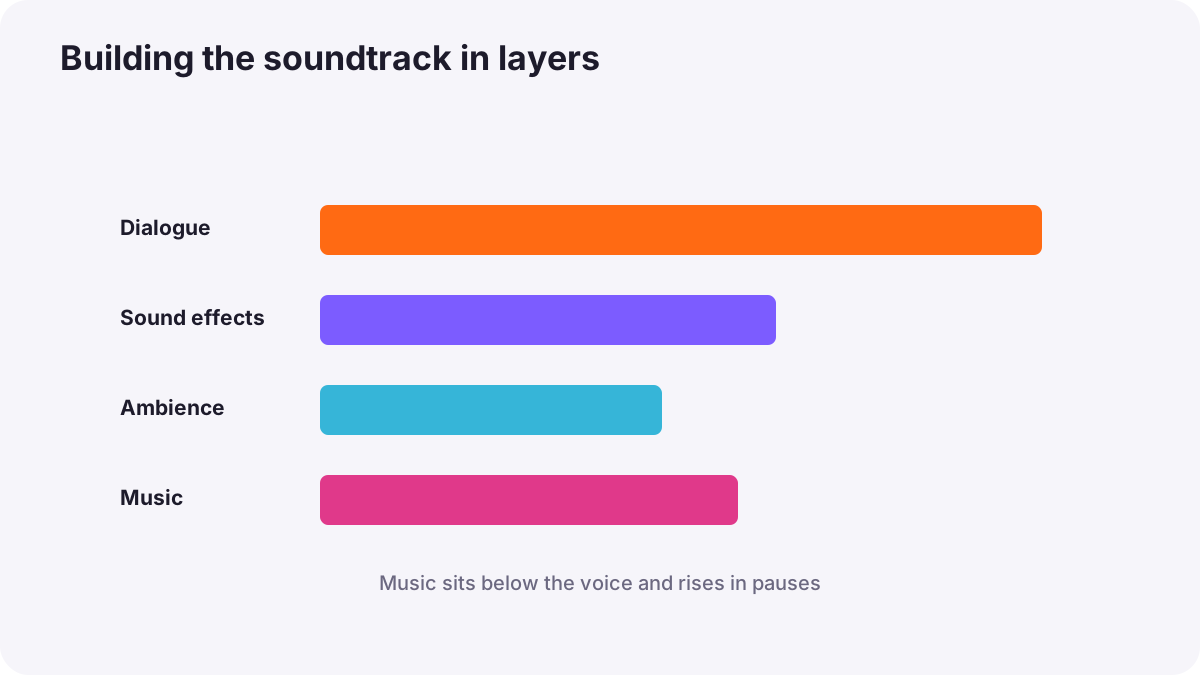
Sound design means shaping the sound world of a video. Most real-sounding moments are layers: a punch might combine a thud, a cloth movement and a low impact. A city scene might combine traffic, distant voices and a bird. Layering creates depth, and small details make scenes believable.
- Foreground, middle and background: like layers in a photograph, as in layering and depth.
- Point of view: sound can show what a character hears, such as muffled sound underwater.
- Sound bridges: a sound from the next scene begins before the cut, leading viewers forward.
The power of silence
Sometimes the strongest choice is to remove sound. Dropping music before an emotional line, or letting a scene fall nearly silent before a surprise, makes viewers lean in. Silence works best when it is deliberate and short, with room tone underneath so it feels real rather than broken.
Common mistakes
- Music too loud under dialogue: viewers cannot follow the words.
- Wall-to-wall music: the video feels tiring and emotion loses impact.
- Music that fights the mood: a happy track under a serious story.
- Abrupt music cuts: edits that break the beat are very noticeable.
- Missing effects: doors close silently and scenes feel fake.
- Too many whooshes and effects: the video sounds cheap.
How soundtracks are built
Professional productions plan music with the director in a spotting session, deciding where music starts, stops and what it should feel like. Composers write scores to picture, sound designers create effects, Foley artists perform everyday sounds, and the re-recording mixer balances everything so dialogue stays clear and emotion builds where the story needs it.
Practical examples
An emotional wedding moment
- Situation
- Music plays loudly over the couple's vows in a wedding film.
- What to do
- You fade the music down under the vows and bring it back up after the last word.
- Why it works
- Dialogue needs space; music returning after the vows adds emotion.
- Result
- The vows are clear and the moment feels powerful.
A product video that felt flat
- Situation
- A coffee machine video looks good but feels lifeless.
- What to do
- You add the sounds of beans grinding, steam and a cup set down.
- Why it works
- Detailed sound effects make the product feel real.
- Result
- Viewers almost smell the coffee.
Key points
- A soundtrack combines dialogue, ambience, sound effects and music.
- Choose music for emotion, pace, audience and licence; instrumental music suits dialogue.
- Edit music at beats or bar lines and lower it under speech.
- Use hard effects, Foley, backgrounds and designed sounds, layered for depth.
- Silence used deliberately can be the most powerful sound.
Frequently asked questions
How do I choose music for a video?
What is the difference between a score and a soundtrack?
What is sound design?
Should music play all the time?
Conclusion
A strong soundtrack chooses music for emotion and pace, edits it to picture, layers effects and Foley for realism, uses silence on purpose and always keeps dialogue clear. Next, you will learn how to edit and mix these sounds into a balanced final track.
Finished reading? Track your progress through Sound for video.