Mixing is where all the recorded and chosen sounds become one balanced soundtrack. A good mix lets viewers understand every word, feel the music, and believe the place, on any device from phone speakers to a home cinema. You do not need a professional studio to make a good mix, but you do need a clear method. This lesson explains how to organize audio tracks, clean and balance dialogue, use EQ and compression, lower music under voices, place sounds left and right, reach the right loudness, and check the final mix.
Editing and mixing
Audio editing means cutting, arranging and cleaning sound clips. Mixing means balancing their levels and tone into one finished track. Both happen in video editing software or a dedicated audio program. The parts of a soundtrack were explained in music, sound effects and the soundtrack.
Organize your tracks
| Track group | Contents |
|---|---|
| Dialogue | Each speaker or microphone on its own track |
| Room tone and ambience | Background sounds under scenes |
| Sound effects | Hard effects and Foley |
| Music | Score and licensed tracks |
Remember:Professionals often keep dialogue, music and effects in separate groups, called stems. This makes balancing easier and lets the client create other language versions or edits later.
Cleaning and balancing dialogue
- Remove unwanted sounds such as coughs, clicks and long breaths.
- Fill gaps with room tone as in room tone, ambience and wild sound.
- Add short fades to the start and end of every clip to avoid clicks.
- Even out levels between speakers and shots so no line is much louder or quieter.
- Apply gentle noise reduction only if needed, as in common audio problems and fixes.
EQ and compression
| Tool | What it does | Common use for dialogue |
|---|---|---|
| EQ (equalization) | Raises or lowers chosen frequencies | Low-cut below about 80 to 100 Hz to remove rumble; small changes to clarity |
| Compression | Reduces the difference between loud and quiet parts | Makes speech more even and easier to hear |
Tip:Frequencies were explained in how sound works. Use both tools gently: heavy EQ makes voices sound thin or boomy, and heavy compression makes them sound flat and squashed.
Music under voices
Music should sit well below dialogue. Lower it whenever someone speaks and raise it in pauses. This is called ducking. Many editing programs can duck music automatically when dialogue is present, but adjusting it by hand often sounds more natural. A useful starting point is to keep music clearly quieter than the voice, then adjust by ear.
Panning
Panning places a sound between the left and right speakers. Dialogue is normally kept in the center. Music and ambience are usually in stereo across both sides, and effects can be placed where the action is on screen.
Loudness targets
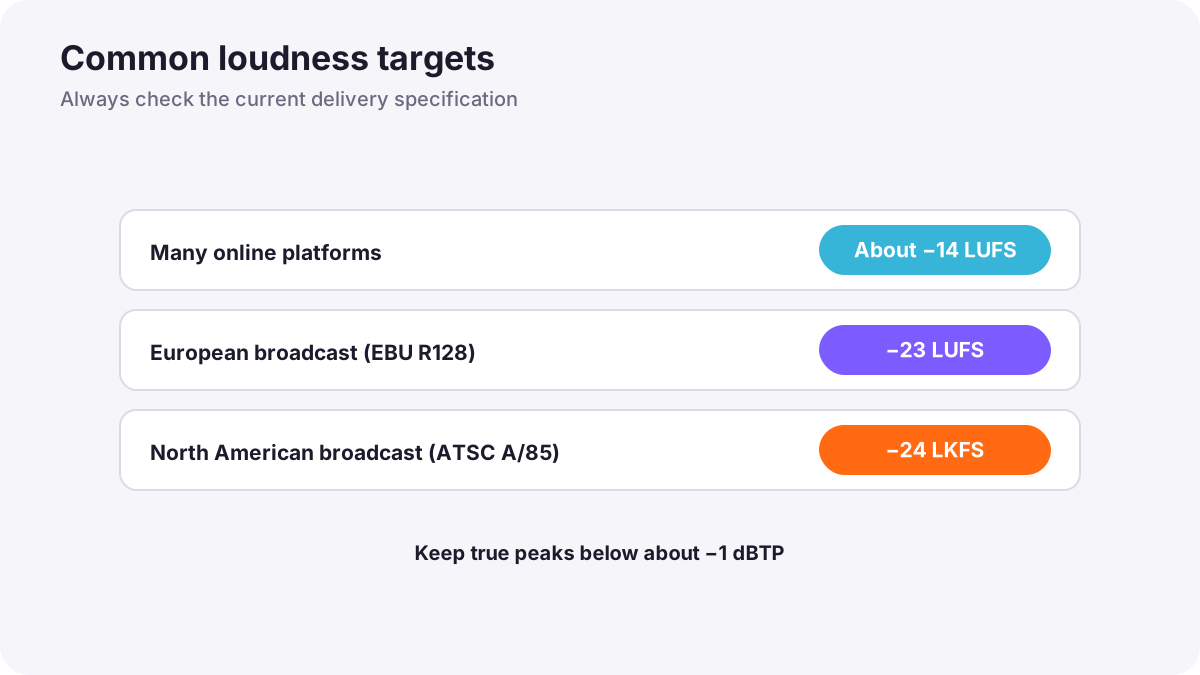
Loudness is measured over a whole program in LUFS (also written LKFS in some standards). Platforms and broadcasters set targets so that viewers do not have to keep changing the volume.
| Destination | Typical target |
|---|---|
| Many streaming and online video platforms | About −14 LUFS (louder videos are usually turned down) |
| European broadcast (EBU R128) | −23 LUFS |
| North American broadcast (ATSC A/85) | −24 LKFS |
Warning:Also keep true peaks below about −1 dBTP so the sound does not distort after the platform processes it. Always check the current delivery specification for the platform or broadcaster you are delivering to.
Checking the mix
- Listen on good headphones for detail and noise.
- Listen on speakers for balance.
- Listen on a phone and a laptop where most people will watch.
- Listen at low volume: dialogue should still be clear.
- Take a break and listen again with fresh ears.
Common mistakes
- Music louder than dialogue: the message is lost.
- Uneven speaker levels: viewers keep reaching for the volume.
- No fades on clips: clicks and pops at every cut.
- Too much compression or EQ: unnatural, tiring voices.
- Mixing only on headphones: the mix sounds wrong on phones and speakers.
- Ignoring loudness targets: videos are much quieter or louder than others.
How mixers work
Professional re-recording mixers organize sessions into dialogue, music and effects stems, clean and balance dialogue first, then build ambience, effects and music around it. They use EQ and compression carefully, mix to the delivery loudness specification, and check on reference speakers and everyday devices. Dialogue clarity always comes first.
Practical examples
A YouTube tutorial
- Situation
- Your tutorial voice is clear but much quieter than other videos.
- What to do
- You even out the voice with gentle compression and raise the mix to about −14 LUFS with peaks below −1 dBTP.
- Why it works
- Matching the typical platform target keeps your video at a comfortable level.
- Result
- Your video sounds as loud and clear as others.
Music hiding the narrator
- Situation
- A travel narration is hard to hear over the music.
- What to do
- You duck the music under every line and add a low-cut to the music below the voice's range.
- Why it works
- Lowering music under speech gives the voice space.
- Result
- Clear narration with music that still sets the mood.
Key points
- Editing cuts and cleans audio; mixing balances everything into one track.
- Organize dialogue, ambience, effects and music on separate tracks or stems.
- Clean dialogue, fill gaps with room tone, add short fades and even out levels.
- Use gentle EQ and compression, duck music under speech and keep dialogue centered.
- Mix to the delivery loudness, such as about −14 LUFS online or −23 LUFS for European broadcast, and check on many devices.
Frequently asked questions
How loud should a YouTube video be?
What is ducking in audio?
What does compression do to a voice?
What are stems?
Conclusion
A good mix starts with organized tracks and clean dialogue, adds gentle EQ and compression, keeps music below voices, meets the right loudness target and is checked on many devices. Next, you will learn how to recognize and fix the most common audio problems.
Finished reading? Track your progress through Sound for video.