Phones include special modes that do things small sensors could not do alone: blur backgrounds, see in the dark, focus very close or capture wide panoramas. Each one uses software in a specific way, and each can fail in predictable ways. This lesson explains when to use portrait, night, macro, panorama, burst and long-exposure modes, and how to get clean results from each.
How special modes work
Special modes rely on the multi-frame processing and depth estimation explained in computational photography. Knowing what the phone is doing helps you help it: steady hands for night mode, clear edges for portrait mode, and good light for everything.
Portrait mode
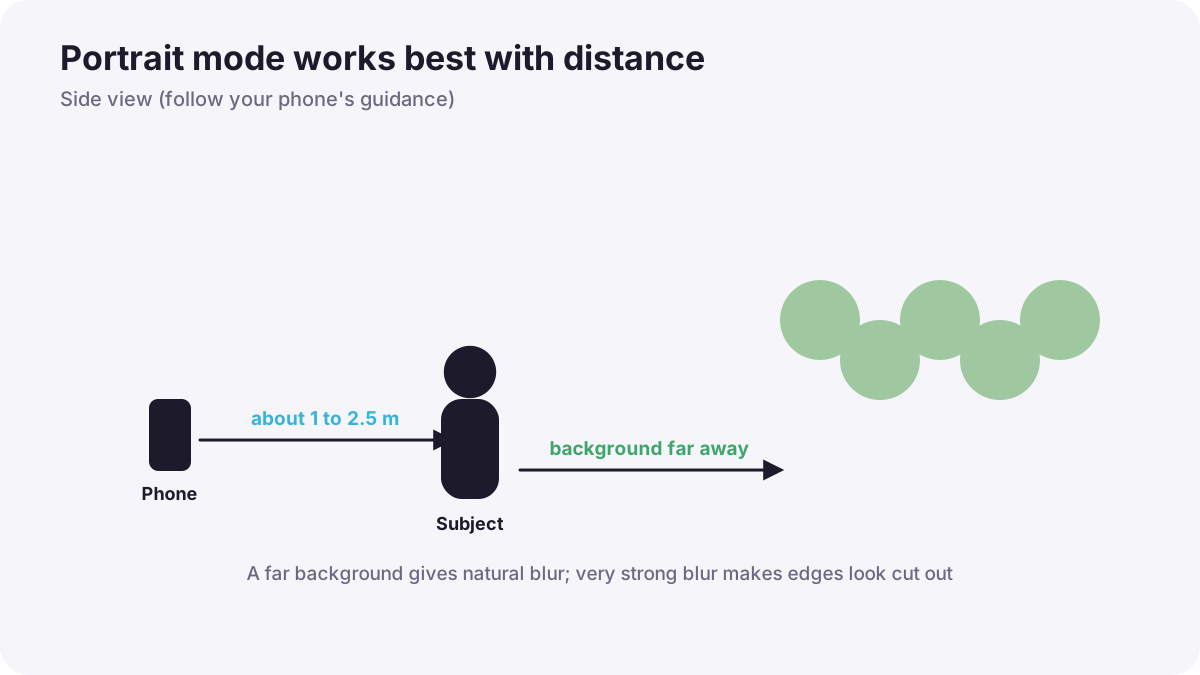
- Keep the subject about 1 to 2.5 m away, or follow the phone's on-screen guidance.
- Choose a background far behind the subject so the blur looks natural.
- Avoid tricky edges: frizzy hair, glasses and thin objects can confuse the depth map.
- Lower the blur strength if your phone allows; very strong blur looks fake.
- Check edges after shooting and adjust focus or blur in the editor if supported.
Remember:Real optical blur also comes from getting close and having a distant background, as explained in shallow and deep depth of field.
Other useful modes
| Mode | Use for | Tips |
|---|---|---|
| Night mode | Dark scenes without flash | Stay still for the full countdown; support the phone |
| Macro | Very close details | Good light, steady hands, check focus |
| Panorama | Wide landscapes and cityscapes | Turn smoothly, keep the arrow on the line, avoid moving people |
| Burst | Action and children | Hold the shutter or swipe; choose the best frame |
| Live / motion photo long exposure | Silky water, light trails | Keep the phone very still or on a tripod |
| Timelapse | Clouds, crowds, sunsets | Tripod, lock exposure, plug in power |
Tip:Phones handle the night sky better each year, but stars and the Milky Way still need a tripod and dark skies, as in Milky Way and star photography.
Common mistakes
- Moving during night mode: blurry, ghosted photos.
- Portrait mode with a background too close: weak or patchy blur.
- Maximum blur strength: cut-out-looking edges.
- Panorama with moving people: broken or duplicated bodies.
- Forgetting the lens is close in macro: your phone's shadow falls on the subject.
How professionals use phone modes
Professionals use special modes deliberately and check results immediately, zooming in on edges and details. For paid portraits they often prefer the telephoto lens with real distance blur, using portrait mode only when it looks natural.
Practical examples
City lights at night
- Situation
- Handheld night photos of a street look blurry.
- What to do
- You rest the phone on a wall and let night mode finish its countdown.
- Why it works
- Night mode combines several frames and needs stillness.
- Result
- A bright, sharp night street.
A portrait with frizzy hair
- Situation
- Portrait mode blurs parts of your friend's hair.
- What to do
- You switch to the telephoto lens, move back and choose a distant background.
- Why it works
- Real optical blur has no depth-map errors.
- Result
- Natural hair edges with a soft background.
Key points
- Special modes rely on multi-frame processing and depth estimation.
- Portrait mode works best at moderate distance with a far background and moderate blur.
- Night mode, long exposure and timelapse need stillness or a tripod.
- Check edges and details after using any special mode.
Frequently asked questions
Why does portrait mode cut off hair?
How does night mode work?
Can I take long exposures on a phone?
Is phone macro real macro?
Conclusion
Special modes are powerful when you know how they work and help them with stillness, distance and light. Next, you will edit your phone photos for a polished, professional finish.
Finished reading? Track your progress through Smartphone photo and film.