Shaky video is the fastest way to make phone footage look amateur. Phones have excellent built-in stabilization, but technique and simple support still make a huge difference. This lesson shows how to hold a phone for steady video, how to walk smoothly, when to use stabilization modes, tripods and gimbals, and how to move the camera with purpose instead of waving it around.
A steady handheld technique
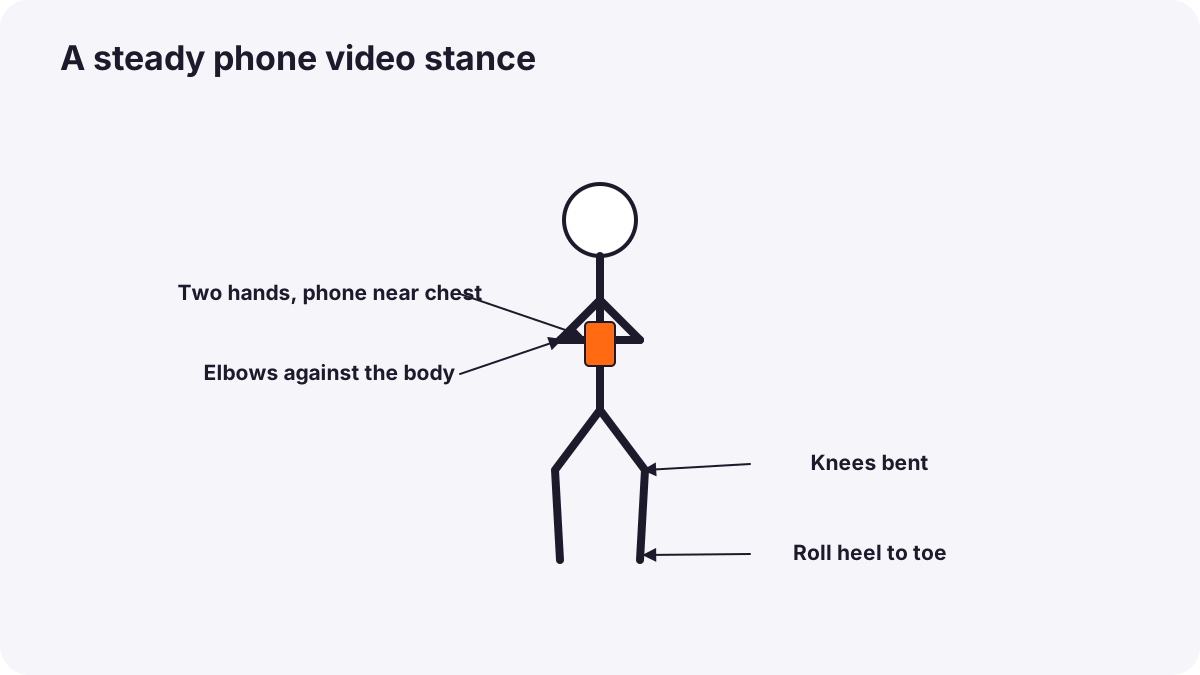
- Hold the phone with two hands, horizontally or vertically for the platform you are making.
- Keep elbows against your body and the phone close to your chest.
- Move from your waist and legs, not your wrists.
- Walk with bent knees, heel to toe, rolling your feet (often called the ninja walk).
- Hold each shot for 5 to 10 seconds before moving to the next.
Tip:Move slower than feels natural. Movement that feels slow while filming usually looks right on screen.
Built-in stabilization
- Standard stabilization is on by default on most phones and smooths small shakes.
- Action or super-steady modes crop the image for very strong smoothing while running or cycling, usually at lower quality in dim light.
- Stabilization works best in good light: in dim light, movement can blur even when the frame is steady.
Remember:Optical and digital stabilization are explained in stabilizing video.
Support: tripod, clamp or gimbal?
| Support | Best for | Limits |
|---|---|---|
| Mini tripod and clamp | Interviews, talking to camera, timelapses | No movement |
| Tripod with pan head | Smooth pans, stable wide shots | Bulky to carry |
| Gimbal | Walking, following, smooth moves | Takes practice; balance the phone |
| Leaning on objects | Quick steady shots anywhere | Limited positions |
Moving with purpose
- Push in slowly toward a subject to build focus or emotion.
- Pull out to reveal where we are.
- Follow a subject at a steady distance.
- Slide sideways past a foreground object for depth (a parallax move).
- Pan slowly across a scene, starting and ending on a clear frame.
Remember:Each movement has a meaning, as explained in camera movement. Choose one clear movement per shot.
Common mistakes
- Waving the phone around: viewers feel dizzy and lose the story.
- Fast pans: blurred, jerky footage.
- Zooming during shots: lower quality and unnatural movement.
- Cutting shots too short: nothing usable for editing.
- Gimbal without balancing the phone: motors strain and footage drifts.
How professionals move phone cameras
Professional mobile filmmakers plan each movement, practice it before recording, hold steady frames at the start and end of every shot, and use a gimbal only when movement truly helps the story.
Practical examples
A café tour
- Situation
- Your walking video through a café looks bouncy.
- What to do
- You use a gimbal, walk slowly with bent knees and record shorter moves between steady frames.
- Why it works
- A gimbal and smooth walking remove bounce; steady frames help editing.
- Result
- A smooth, professional tour.
A product reveal
- Situation
- You want a premium reveal of a new watch.
- What to do
- You place the phone on a table and slide it slowly sideways past a plant in the foreground.
- Why it works
- A slow parallax move adds depth and quality.
- Result
- An elegant, cinematic reveal.
Key points
- Hold with two hands, elbows in, and move from your body, not your wrists.
- Walk with bent knees and move slower than feels natural.
- Use built-in or action stabilization in good light; add a tripod or gimbal when needed.
- Choose one purposeful movement per shot and hold steady frames at the start and end.
Frequently asked questions
How do I make phone video smoother without a gimbal?
Do I need a gimbal for phone video?
What is action mode?
Should I zoom while filming?
Conclusion
Steady technique and purposeful movement make phone video look professional. Next, you will learn to record clear sound with a phone.
Finished reading? Track your progress through Smartphone photo and film.