Most viewers never notice the cuts in a well-edited film. They feel they are watching one smooth flow of action, even though the camera moved dozens of times. This is called continuity editing, or invisible editing, and it relies on a set of techniques that guide the eye across each cut. Editors also use match cuts, which deliberately link two shots by shape, movement or sound. This lesson explains how continuity editing works in the edit, how to cut on action, how to keep space and direction clear, how to hide continuity errors, and how to create match cuts.
What continuity editing is
Continuity editing is a style of editing that keeps time, space and action clear and smooth, so viewers focus on the story rather than the cuts. Continuity starts on set, with the axis of action, screen direction, eyelines and matching action, as explained in continuity and the axis of action. In the edit, the editor uses that coverage to make every cut feel natural.
Cutting on action
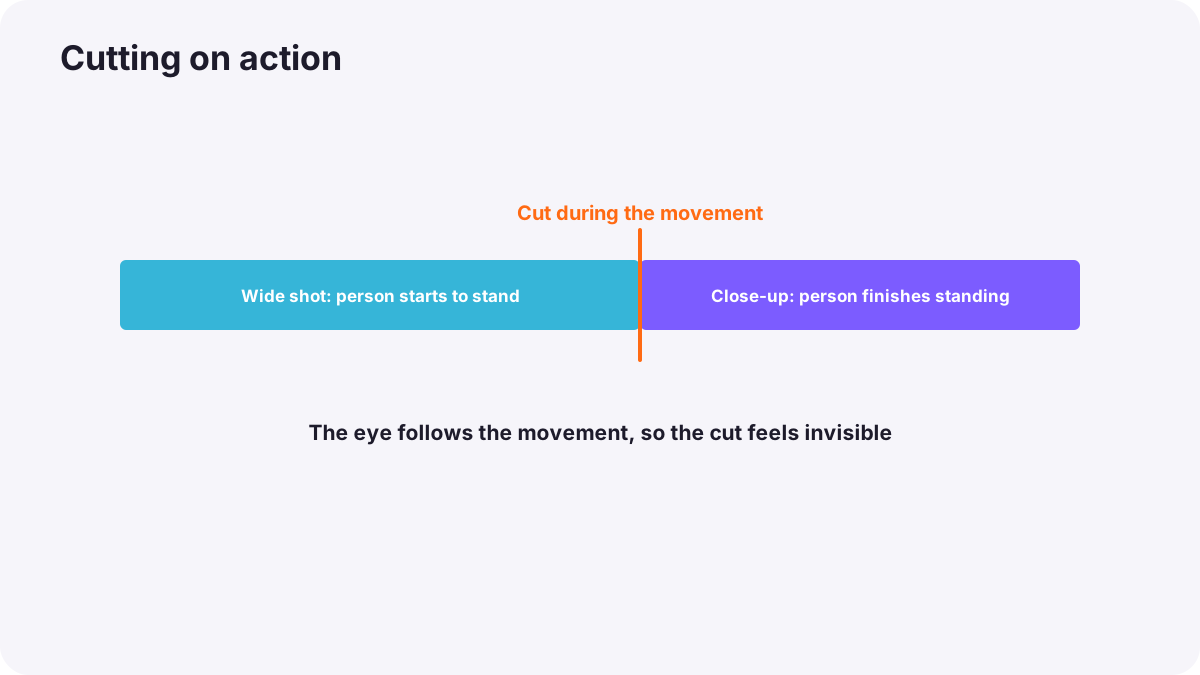
Cutting on action, also called match on action, means cutting from one angle to another in the middle of a movement: a hand reaching for a cup, a person standing up or opening a door. The viewer's eye follows the movement across the cut, so the change of shot feels invisible.
- Cut during the movement, not before it starts or after it ends.
- Match the position: the action should continue from the same point in the new shot.
- Allow a few frames of overlap: many editors repeat two or three frames of movement, because the eye loses a little time during a cut.
Keeping space clear
- Establish the space: show a wide shot early so viewers know where people are.
- Respect the axis of action: keep people on the same sides of the screen.
- Match eyelines: when someone looks off-screen, cut to what they see in the matching direction.
- Keep screen direction: movement continues in the same direction across cuts.
- Change angle or size clearly: avoid accidental jump cuts using the 30-degree rule.
Tip:Eye trace, one of Murch's six criteria in what video editing is and why it matters, means placing the important part of the next shot where the viewer is already looking. Cuts feel smoother when the eye does not have to search.
Hiding continuity errors
- Cut away: use a reaction shot or insert to hide a mismatch, as in B-roll and cutaways.
- Cut on movement: viewers notice mismatched details less during action.
- Choose a different take where props or positions match better.
- Use sound to lead attention: a strong line or sound draws attention away from small visual errors.
- Accept small errors: if emotion and story are strong, most viewers will not notice.
Match cuts in the edit
A match cut deliberately links two different shots, places or times through something they share, as introduced in creative video techniques.
| Kind | What matches | Effect |
|---|---|---|
| Graphic match | Shape, color or composition | A visual link between two subjects |
| Movement match | Direction and speed of motion | Flowing energy between places |
| Sound match | Similar sounds across the cut | A surprising connection between scenes |
A famous graphic match appears in Lawrence of Arabia (1962): a match being blown out cuts directly to the sun rising over the desert. To create match cuts, look through your footage for repeated shapes, colors and movements, and plan them while filming when possible.
Common mistakes
- Cutting after the action ends: the cut feels slow and obvious.
- Mismatched action positions: a hand jumps between shots.
- Crossing the line in the edit: people seem to swap places.
- Forcing match cuts: a weak shape match feels like a gimmick.
- Trying to fix every tiny error: time is wasted on what viewers never notice.
How editors make cuts invisible
Professional editors cut on action, follow eye trace, keep space and direction clear, and use reactions and inserts to cover problems. They put emotion and story above perfect continuity, and use match cuts sparingly for memorable links between scenes.
Practical examples
Standing up from a chair
- Situation
- A cut from a wide shot to a close-up of someone standing looks jumpy.
- What to do
- You cut halfway through the movement and overlap two frames of the action.
- Why it works
- Cutting on action hides the change of angle.
- Result
- A smooth, invisible cut.
A coffee cup mismatch
- Situation
- A cup is full in one angle and nearly empty in the next.
- What to do
- You add a short reaction shot between them.
- Why it works
- A cutaway hides the mismatch and adds emotion.
- Result
- Viewers never notice the error.
Key points
- Continuity editing keeps time, space and action clear so cuts feel invisible.
- Cut on action, in the middle of a movement, matching position and sometimes overlapping a few frames.
- Keep space clear with establishing shots, the axis of action, eyelines and screen direction.
- Hide errors with cutaways, movement, other takes and sound; prioritize emotion and story.
- Match cuts link shots deliberately through shape, movement or sound.
Frequently asked questions
What is continuity editing?
What does cutting on action mean?
What is a graphic match cut?
How do I hide a continuity error?
Conclusion
Invisible editing comes from cutting on action, following the viewer's eye and keeping space clear, while match cuts create deliberate links. Next, you will learn how to edit dialogue and interviews with J and L cuts.
Finished reading? Track your progress through Video editing.