The same story may need to appear on a website, a television screen, a social feed and a phone held upright. Each place has different screen shapes, typical lengths and viewing habits: some viewers watch for minutes with sound, others scroll past in seconds with the sound off. Editing for different platforms means creating versions that keep the story strong in every place. This lesson explains aspect ratios, reframing, cut-downs, openings, sound-off viewing, and how to plan versions from the start.
Why platforms need different versions
Viewers watch differently in each place. A website film may be watched fully with sound; a social video must catch attention instantly and often plays silently. Aspect ratio was introduced in image size, resolution and aspect ratio, short-form vertical video in short-form vertical video for social media, and delivery files in proxies and video delivery formats.
Common aspect ratios
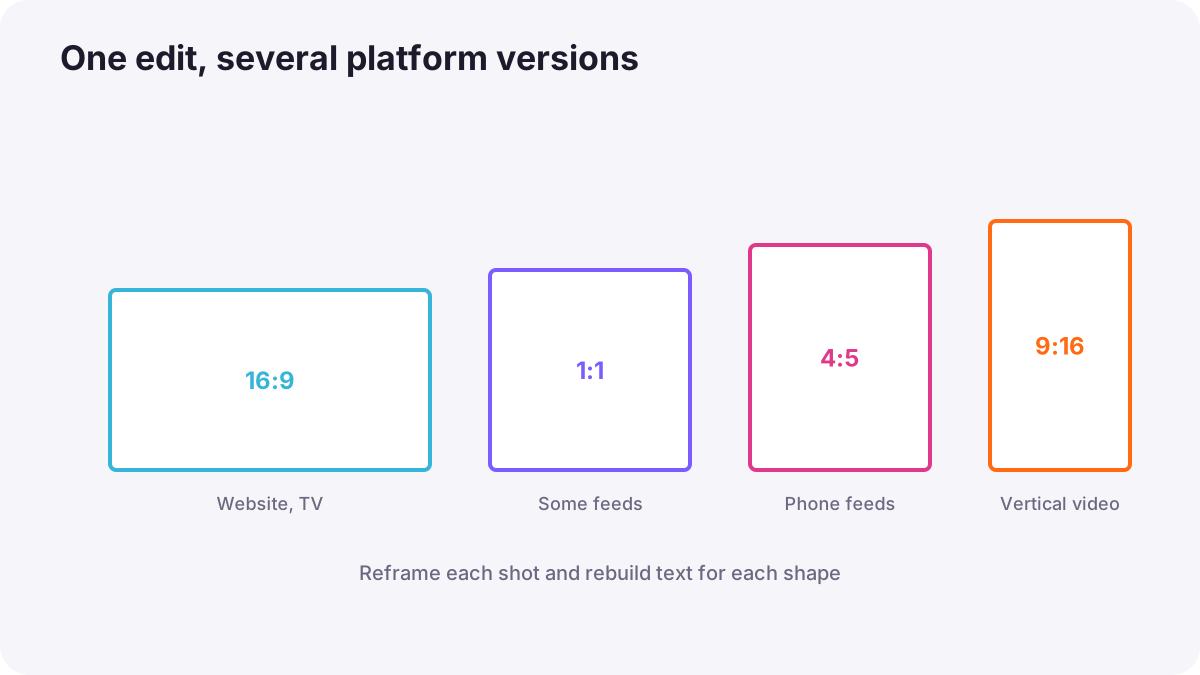
| Ratio | Shape | Typical use |
|---|---|---|
| 16:9 | Horizontal widescreen | Websites, television, most online video players |
| 9:16 | Tall vertical | Short-form vertical platforms and phone stories |
| 1:1 | Square | Some social feeds |
| 4:5 | Slightly tall | Some social feeds on phones |
| 2.39:1 and similar | Very wide cinema | Films and cinematic styles |
Remember:Platform recommendations change often. Check each platform's current guidance before delivering.
Reframing
- Crop and reposition: move the frame on each shot to keep the subject centered in the new shape.
- Use automatic reframing carefully: AI tools can follow subjects, but check every shot, as in AI in video creation and editing.
- Replace shots that do not work: a wide landscape may need a closer alternative in vertical.
- Move text and graphics: titles must fit the new safe zones, as in titles, text and graphics.
Tip:If you know a vertical version is needed, film wider than usual and keep the subject near the center so both shapes work, as in product and commercial video.
Cut-downs and lengths
A cut-down is a shorter version of a longer video, such as 60, 30, 15 or 6 seconds. It is not just the first seconds of the long version; it is a new edit that keeps the most important message.
- Find the single key message of the video.
- Choose the strongest shots that show it.
- Start with the most striking moment or hook.
- End clearly with the result, logo or call to action.
Openings and sound-off viewing
- Strong first seconds: on scrolling platforms, show the most interesting moment first.
- Captions and text: many viewers watch without sound, so key words should appear on screen, as in publishing video online.
- Visual storytelling: the video should make sense even silently.
- Longer formats: on websites and video platforms, a slower opening can work if it promises value.
Planning versions
- List all deliverables at the start, with lengths and aspect ratios.
- Film with every shape in mind.
- Edit the main version first, then create versions from it.
- Use separate timelines for each version with clear names.
- Check each version on the platform or a phone before delivery.
Common mistakes
- Simply cropping a horizontal video to vertical: heads and key action are cut off.
- Using the same slow opening everywhere: viewers scroll past.
- No captions for silent viewing: the message is lost.
- Making cut-downs by trimming the end: the key message disappears.
- Forgetting text safe zones: titles are hidden.
How agencies deliver multi-platform video
Agencies and production companies plan every version before filming, shoot with protected framing for several shapes, edit a master version, then build custom cut-downs and reframes for each platform. Each version gets its own opening, captions and text layout, and is checked on real devices.
Practical examples
A brand film everywhere
- Situation
- A client needs a 90-second website film plus social versions.
- What to do
- You edit the 16:9 master, then make a 30-second 9:16 cut-down that opens with the product reveal, with captions.
- Why it works
- Each platform needs its own shape, length and opening.
- Result
- Strong versions that work on every screen.
Cut-off heads
- Situation
- Auto-cropping a horizontal interview to vertical cuts off the speaker's head in some shots.
- What to do
- You reframe each shot manually and replace one wide shot with a closer one.
- Why it works
- Every shot needs checking in the new shape.
- Result
- Well-framed vertical interview clips.
Key points
- Different platforms need different shapes, lengths and openings.
- Common ratios include 16:9, 9:16, 1:1 and 4:5; check current platform guidance.
- Reframe shot by shot, replace shots that do not work and move text into safe zones.
- Cut-downs are new edits built around one key message and a strong opening.
- Plan versions before filming, add captions for silent viewing and check each version.
Frequently asked questions
How do I turn a horizontal video into a vertical one?
What is a cut-down?
What aspect ratio should I use?
Why add captions to social videos?
Conclusion
Editing for platforms means building each version for its screen: the right shape, length, opening, text and captions, planned from the start. Next, you will learn the export settings that turn your edit into finished files.
Finished reading? Track your progress through Video editing.